Home 10 Best Laptops Under ₹60,000 for Engineering Students in India (2026) – Performance, Battery & Coding

10 Best Laptops Under ₹60,000 for Engineering Students in India (2026) – Performance, Battery & Coding

Finding the best laptop under ₹60,000 for students in India in 2026 is genuinely difficult — and the market has changed dramatically in the last twelve months. You now have a real choice between three completely different processor families: Intel Core Ultra, AMD Ryzen 8000, and Qualcomm Snapdragon X (ARM) — plus Apple's A18 Pro if you're open to macOS. Each has different strengths for studying, coding, and daily college life. We spent weeks researching every laptop under ₹60,000 that is actually available in India in 2026.

Compare Top Picks

#1
82 BeforeBuy Score
Quick Summary: This is one of the best all-around laptops for students, featuring a powerful Core Ultra processor that handles coding and heavy workloads with ease. At this price in India, it offers a 14-core Intel Core Ultra 5 chip that outperforms many laptops priced above ₹80,000.
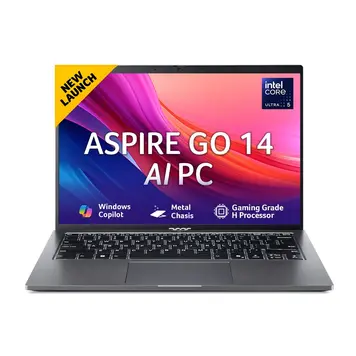
Acer Aspire Go 14 AG14-71M (Intel Core Ultra 5 125H/16 GB/512 GB SSD)
16GB / 512GB Student
Intel Core Ultra 5 125H
14 " WUXGA (1920x1200) 60 Hz
Intel Arc Graphics
Windows 11 Home
₹55,990 Prices and availability may change on the seller's site Released: Jul 2025
  • Very fast performance for coding, multitasking, and heavy workloads
  • Powerful 14-core Intel Core Ultra 5 125H processor
  • RAM can be upgraded up to 32 GB, which is rare at this price
  • 16:10 display gives more vertical space, making it better for reading code and documents
  • Good port selection, including HDMI 2.1 and RJ-45 Ethernet
  • Plastic build instead of a metal chassis
  • Battery life is decent, but not as long as ARM-based laptops
  • Display color quality is limited to 45% NTSC, so it is not ideal for design or color-sensitive work
Good Value Price: ₹50,990 – ₹53,000
Best For: CS students, coders, heavy multitaskers
Why We Ranked It Here

The Acer Aspire Go 14 carries the Intel Core Ultra 5 125H — a 14-core, 18-thread processor built on Intel’s new tiled architecture using the Intel 4 (7nm equivalent) process. No other laptop under ₹60,000 in India comes close to this level of CPU performance. With 4 Performance cores hitting up to 4.5 GHz boost, 8 Efficient cores, and 2 Low-Power Efficient cores, it handles multi-app student workflows — Chrome with 20 tabs, VS Code, Jupyter Notebook — without breaking a sweat.

The processor also includes the Intel AI Boost NPU, which handles background tasks like auto-framing during video calls through Windows Studio Effects without draining the battery or slowing down your main work. You also get the Intel Arc integrated GPU — a significant upgrade over the older Intel UHD, capable of running esports titles like Valorant at 140+ FPS.

The display uses a 16:10 aspect ratio (1920×1200 pixels), which means you see about 10% more vertical content than standard 1080p laptops — critical for reading code, documents, and web pages. The IPS panel provides 170-degree wide viewing angles and comes with a matte anti-glare coating ideal for classrooms with overhead lighting.

One of the most student-friendly features is its port selection. Unlike most ultrabooks that cut ports for thinness, this 14-inch laptop includes: 2× USB-C 3.2 Gen 2 (both supporting Power Delivery and DisplayPort), 2× USB-A 3.2HDMI 2.1, a full RJ-45 Gigabit Ethernet port, and a microSD reader — an impressive lineup for a device this size.

Another important advantage: the RAM is not soldered. It uses two soDIMM slots and can be upgraded to 32 GB — rare at this price and an important long-term value for engineering students whose software needs grow over 4 years.

#2
86 BeforeBuy Score
Quick Summary: Apple’s first budget Mac is very fast for everyday tasks, even beating many Windows laptops in single-core performance, and its battery easily lasts all day. It also offers great speed and premium build quality at a lower price than before.
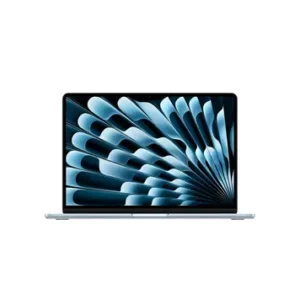
Apple MacBook Neo 2026 (A18 Pro Chip/ 8GB/ 256GB SSD)
8GB / 256GB Student
Apple A18 Pro chip (3nm process)
13 " Liquid Retina 60 Hz
Apple A18 Pro GPU
macOS
₹65,700 Prices and availability may change on the seller's site Released: Mar 2026
  • Very fast performance for everyday tasks (best single-core performance in this range)
  • Battery lasts up to 16 hours — easily all-day use
  • Bright 500-nit display, better than most Windows laptops at this price
  • Completely silent — no fan noise at all
  • Very light (1.23 kg) and easy to carry
  • Only 8 GB RAM and cannot be upgraded later
  • Only 256 GB storage, which may fill up quickly
  • Keyboard has no backlight on the base model
Good Value Price: ₹59,900
Best For: Students who want a high-quality, reliable laptop with a premium build, long battery life, and long-term durability
Why We Ranked It Here

Launched in March 2026, the MacBook Neo breaks new ground by bringing Apple’s A18 Pro chip — the same silicon inside the iPhone 16 Pro — into a laptop chassis for the first time. Built on TSMC’s second-generation 3nm (N3E) process, this chip achieves single-core Geekbench 6 scores of approximately 3,461, higher than any comparable Windows machine at this price.

The A18 Pro features a 6-core CPU (2 performance cores at 4.04 GHz + 4 efficiency cores at 2.42 GHz) and a 16-core Neural Engine capable of 35 trillion operations per second, enabling on-device Apple Intelligence features like Writing Tools, Image Wand, and an upgraded Siri.

The 13-inch Liquid Retina display at 2408×1506 pixels delivers 219 PPI — significantly sharper than the 1080p panels on most Windows competitors. At 500 nits brightness, it is perfectly visible in bright cafes and outdoor areas where 300-nit IPS panels struggle.

The body is a 100% recycled aluminum unibody at just 1.23 kg — sturdier and more premium than any plastic laptop at this price. Remarkably, Apple has made this its most repairable laptop in years, using standard screws for the battery, speakers, and logic board.


Important note for Indian students: The MacBook Neo is available at ₹59,900 with the education discount (via UNiDAYS or any valid college ID card). At the regular price it costs ₹69,900. Always use your student ID to get the reduced price.

#3
82 BeforeBuy Score
Quick Summary: This laptop is a battery king with a large 16-inch screen, perfect for long study sessions, and its 14–15 hour battery means you won’t need to carry a charger
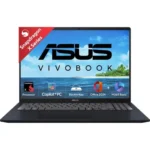
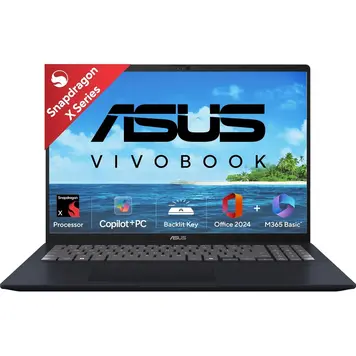
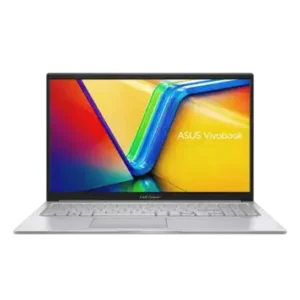
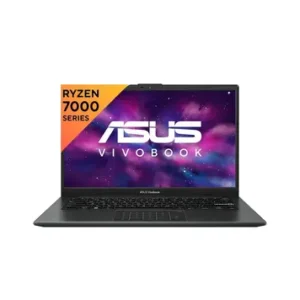
Asus Vivobook 16 X1607QA-MB049WS Laptop (Snapdragon X X1 26 100/ 16GB/ 512GB SSD)
16GB / 512GB Student
Snapdragon® X X1 26 100
16 " WUXGA (1920x1200) 60 Hz
Qualcomm Adreno
Windows 11 Home
₹58,990 Prices and availability may change on the seller's site Released: Feb 2025
  • Excellent battery life (around 14–18 hours) — easily lasts all day
  • Large 16-inch display with a 16:10 ratio, great for multitasking and studying
  • Strong AI performance (45 TOPS NPU) for features like Copilot+
  • Dual USB 4.0 ports with very fast data speeds
  • Can open two apps side-by-side comfortably
  • Quite heavy (1.88 kg), not ideal for carrying all day
  • RAM is fixed at 16 GB and cannot be upgraded
  • Some older Windows apps (especially 32-bit) may not work properly on ARM
Good Value Price: ₹51,479 – ₹54,000
Best For: students who need a big screen and long battery life
Why We Ranked It Here

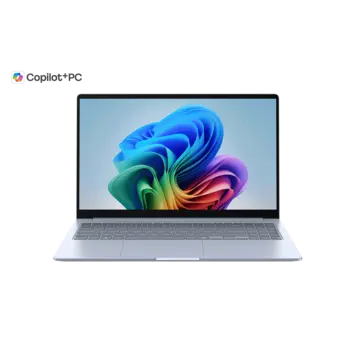
The ASUS Vivobook 16 X1607QA is a Copilot+ PC running on the Qualcomm Snapdragon X X1-26-100 — an 8-core ARM processor built on a 4nm process with 8 custom Oryon cores running up to 3.0 GHz. The big headline is its Qualcomm Hexagon NPU rated at 45 TOPS (trillion operations per second), which is the highest NPU rating of any laptop on this list and enables on-device AI features like real-time background blur, Windows Recall, and Live Captions in any language.

The real-world battery life of 14–15 hours in mixed productivity use (browsing, documents, video calls) is exceptional. The manufacturer tests claim up to 27 hours for local video playback, and while real use is less, even 14 hours is enough to get through a full college day with lectures, labs, and self-study without ever plugging in.

The 16-inch WUXGA (1920×1200) IPS screen at 16:10 aspect ratio gives you a genuinely large workspace — ideal for side-by-side reference documents, or having a code editor and browser open simultaneously. The 89% screen-to-body ratio with slim NanoEdge bezels makes the panel look modern despite the large chassis.

A standout connectivity feature is the inclusion of 2× USB 4.0 ports (40 Gbps each, supporting PowerDelivery and DisplayPort) — extremely rare on a laptop at this price. The Qualcomm platform also natively supports Wi-Fi 6E (6 GHz band), further future-proofing it for fast campus and home networks.

#4
84 BeforeBuy Score
Quick Summary: A tough, military-grade laptop that’s perfect for students who are rough with their devices, featuring MIL-STD-810H durability, efficient Snapdragon X performance, a sharp 5MP webcam, and upgrade options with dual SSD slots.
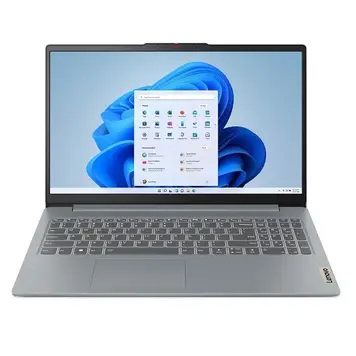
Lenovo IdeaPad Slim 3 83N3002QIN Laptop (Snapdragon X/ 16GB/ 512GB SSD)
16GB / 512GB Student
Qualcomm Snapdragon X X1-26-100
15.3 " WUXGA (1920x1200) 60 Hz
Adreno X1-45
Windows 11 Home (on ARM)
₹59,490 Prices and availability may change on the seller's site Released: May 2025
  • Very strong and durable (MIL-STD-810H tested)
  • Long battery life (around 12–15 hours, even more for video playback)
  • Comfortable keyboard, great for typing long assignments
  • 5 MP webcam — better than most laptops in this price range
  • Dual M.2 SSD slots for easy storage upgrade
  • RAM is fixed and cannot be upgraded
  • Some very old apps may not work properly (ARM limitation)
  • Display is not very bright and has average color quality
Good Value Price: ₹47,999 – ₹51,000
Best For: Students who need a durable laptop for daily travel
Why We Ranked It Here

It is the toughest laptop on this list. It has passed 21 military-grade drop and shock tests, so it can survive daily travel in a college bag without breaking. The Snapdragon X chip gives it 12–15 hours of real battery life, and it is the only laptop under ₹60,000 with a 5MP webcam — much clearer than the 720p or 1080p cameras on most rivals. The reason it sits below the ASUS Vivobook is that its screen is slightly smaller and the HDMI port is an older version. But if durability is your top concern, this laptop is actually better than #3.

#5
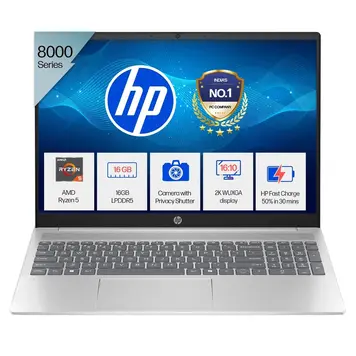
Quick Summary: Powerful AMD Ryzen 5 laptop with a 16-inch screen and 1080p IR webcam, perfect for online classes, clear video calls, and smooth creative work in a quiet and reliable setup
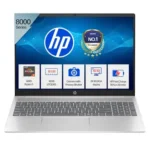
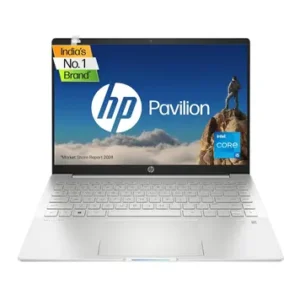
HP Pavilion 16 AI 16-ag0019AU Laptop (Ryzen 5 8540U/ 16GB / 512GB SSD)
16GB / 512GB Student
AMD Ryzen 5 8540U
16 " WUXGA (1920x1200) 60 Hz
Radeon 740M
Windows 11 Home 64-bit
₹60,990 Prices and availability may change on the seller's site Released: Mar 2024
  • 1080p IR webcam for clear online classes and video calls
  • Windows Hello face unlock for quick and secure login
  • Quiet and cool performance during long study sessions
  • Ryzen 5 8540U processor delivers smooth performance for daily tasks, multitasking, and light photo or video editing
  • 16-inch WUXGA display gives a large and comfortable screen for productivity
  • RAM is not upgradeable
  • Display colors are average for serious editing work
  • No Ethernet port — wired internet needs an adapter
Good Value Price: ₹47,990 – ₹52,000
Best For: Students with heavy online classes, remote learning, and light creative work
Why We Ranked It Here

It is the best laptop on this list for students who attend a lot of online classes. The 1080p IR camera lets Windows recognise your face and log you in automatically — no password needed. It also stays very quiet and cool during long Zoom or Google Meet sessions, which most other laptops in this price range cannot do for hours together. The AMD Ryzen 5 chip handles multitasking smoothly without the fan going loud. The reason it is not higher is that the battery lasts only 8–10 hours, and the RAM cannot be upgraded later.

#6
86 BeforeBuy Score
Quick Summary: This laptop offers one of the best displays under ₹60,000, with a stunning 2.8K OLED screen, 120Hz refresh rate, and excellent colors—perfect for movies and photo editing
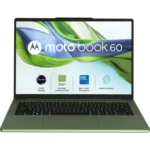
Motorola Motobook 60 14IRH10R Laptop (Intel Core 5 210H/ 16GB/ 512GB SSD)
16GB / 512GB Student
Intel Core 5 210H
14 " Quad HD+ 120 Hz
Iris Xe Graphics (48EU)
Windows 11 Home
₹57,990 Prices and availability may change on the seller's site Released: Apr 2025
  • Stunning 2.8K OLED display with 120Hz refresh rate and bright, vivid colors
  • Premium metal body feels strong and high quality
  • Fast charging support gets you back to work quickly
  • Upgrade-friendly design with user-upgradeable RAM and extra storage slot
  • Wi-Fi 7 support for faster and more future-ready wireless connectivity
  • Battery life is average and may last only 4–6 hours in heavy use
  • Can get warm during long or heavy workloads
  • No fingerprint scanner
Good Value Price: ₹47,490 – ₹50,000
Best For: Design students, media students, photo/video editing, Motorola phone users
Why We Ranked It Here

We placed it at #6 because the screen is genuinely the best of any laptop under ₹60,000 in India right now. The 2.8K OLED display at 120Hz with 100% DCI-P3 colour accuracy is something you normally only find on laptops costing ₹90,000 or more. It also has two RAM slots so you can upgrade to 32GB later, which most laptops at this price do not allow. The reason it is not higher is the battery — in real use it lasts only 4–6 hours, which means you will need to carry the charger to college every single day. For design and media students who mostly sit at a desk, this is actually a better choice than the laptops above it.

#7
Quick Summary: A great choice for Samsung users, with smooth connection across devices and Wi-Fi 7 for faster, more future-ready wireless performance
Samsung Galaxy Book 4 Edge NP750XQB-KA1IN (Snapdragon X X1-26-100/ 16GB/ 512GB SSD)
16GB / 512GB Ultraportable-nomad
Qualcomm Snapdragon X Plus X1-26-100
15.6 " Full HD 60 Hz
Qualcomm Adreno Graphics
Windows 11 Home
₹67,990 Prices and availability may change on the seller's site Released: Jul 2025
  • Works very well with Samsung phones and tablets for easy sharing, screen mirroring, and copy-paste across devices
  • Very thin and lightweight with a premium aluminum design
  • Wi-Fi 7 support for fast, future-ready wireless connection
  • 2× USB4 ports for fast data transfer and easy docking
  • Great battery life for all-day use
  • Full HD display is basic for a 15.6-inch laptop
  • RAM is soldered and cannot be upgraded
  • Storage is not standard NVMe and cannot be easily replaced
Good Value Price: ₹52,850 – ₹55,000
Best For: Samsung Galaxy phone/tab users, students wanting the thinnest metal build
Why We Ranked It Here

We ranked it #7 because it is a very premium-feeling laptop — full metal body, only 1.5 kg, 15mm thin, and it comes with Wi-Fi 7 which is the newest and fastest wireless standard available right now. If you already use a Samsung Galaxy phone, it connects with it perfectly — you can copy something on your phone and paste it on the laptop instantly. The reason it sits at #7 and not higher is that the display uses the older 16:9 ratio at 1080p, while cheaper laptops like the ASUS Vivobook and Lenovo Slim 3x give you a taller 16:10 screen with more space to work. Also, the street price often goes above ₹60,000, so you need to wait for bank offers or sale prices to get it within budget.

#8
Quick Summary: Lightweight at under 1.1 kg with a stunning OLED display, this laptop is perfect for students who travel long distances every day and want a beautiful screen without the extra weight.
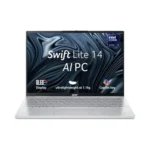
Acer Swift Lite OLED SFL14-54M Laptop (Intel Core Ultra 5 115U/ 16GB/ 512GB SSD)
16GB / 512GB Student
Intel Core Ultra 5 115U
14 " WUXGA (1920x1200) 60 Hz
Intel Graphics
Windows 11 Home (64-bit)
₹59,400 Prices and availability may change on the seller's site Released: Jun 2025
  • Very light and easy to carry, at around 1.1 kg
  • OLED display with deep blacks and vivid, accurate colors
  • 14-inch 16:10 screen gives extra vertical space for work and study
  • Many ports for a small laptop, including USB-C charging on both sides
  • Very thin design at just 1.54 cm
  • U-series processor is not ideal for heavy coding or long, demanding tasks
  • Battery life is only average, about 5–6 hours in mixed use
  • No fingerprint scanner on the standard model
Good Value Price: ₹49,990 – ₹54,000
Best For: Students with long daily commutes who want an ultra-light laptop that’s easy to carry.
Why We Ranked It Here

We placed it at #8 because it wins only one category — weight. At under 1.1 kg, it is the lightest laptop on this entire list by a big margin. If you travel long distances by bus or train every day, this matters a lot. It also has a beautiful OLED screen. The reason it is not higher is the battery — only 5–6 hours in real use — and the keyboard layout is a bit unusual, with some keys in odd positions that take time to get used to. The Intel Core Ultra 5 115U chip inside is also a weaker “U-series” processor compared to the more powerful chips in the laptops ranked above it, so heavy coding workloads can slow it down.

#9
Quick Summary: A solid and reliable laptop with an Intel i5-12450H processor, 1080p webcam, MIL-STD-810H durability, and a comfortable keyboard, making it great for everyday work and long typing sessions.
Lenovo IdeaPad Slim 3 Laptop (Intel Core i5-12450H/16 GB/512 GB SSD/15.6″ Inch Dispay)
16GB / 512GB Student
12th Gen Intel Core i5-12450H
15.6 " Full HD 60 Hz
Intel UHD Graphics
Windows 11 Home Single Language
₹58,990 Prices and availability may change on the seller's site Released: Feb 2024
  • Excellent keyboard, great for long coding or typing sessions (1.5mm travel, spill-resistant)
  • Strong and durable build that feels premium
  • Reliable service support with many service centres in India
  • Clear 1080p webcam
  • Military-grade durability
  • Battery life is only average, around 6 hours
  • RAM is soldered, so it cannot be upgraded later
  • Weak integrated graphics, so it is not good for gaming
Good Value Price: ₹49,390 – ₹50,500
Best For: Coding students on a budget who spend long hours typing and want a comfortable keyboard with reliable service support.
Why We Ranked It Here

It uses an older 12th generation Intel processor — the i5-12450H — while the laptops above it use newer chips with better AI features and more efficient batteries. However, it earns its place on this list because of the keyboard. The 1.5mm key travel with a spill-resistant design makes it the most comfortable laptop to type on for long periods — important for engineering students who write a lot of code and reports. It also has the widest service centre network of any brand in India, so getting it repaired in smaller cities is easier than with Motorola or Samsung. The short 4–8 hour real battery is its biggest weakness.

#10
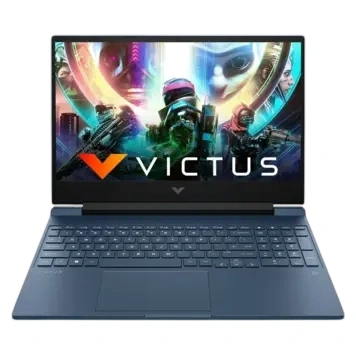
Quick Summary: A practical laptop with RTX 2050 graphics, making it the only real option for 3D design, architecture work, and casual gaming.
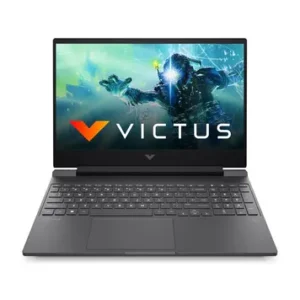
HP Victus 15 Intel Core i5 12th Gen 12450H – (16 GB/512 GB SSD/Windows 11 Home/4 GB Graphics/NVIDIA GeForce RTX 2050) 15-fa1227TX Gaming Laptop
16GB / 512GB Student
Intel Core i5-12450H
15.6 " Full HD 144 Hz
NVIDIA GeForce RTX 2050
Windows 11 Home 64-bit
₹70,479 Prices and availability may change on the seller's site Released: May 2022
  • Dedicated NVIDIA RTX graphics for gaming and 3D work
  • Excellent cooling for heavy tasks
  • 144Hz display for smoother gaming and video
  • 16GB dual-channel RAM for better performance and stability
  • Upgradeable RAM up to 64 GB
  • Very heavy at 2.3 kg, so it is not easy to carry every day
  • Battery life is weak: about 1.5–2 hours for gaming and 4–5 hours for light use
  • 250-nit display is quite dim, especially in bright rooms
Good Value Price: ₹54,000 – ₹55,500
Best For: Architecture or engineering students needing 3D GPU, casual gamers
Why We Ranked It Here

We placed it last not because it is a bad laptop, but because it makes the most compromises for daily student life. It is the heaviest on this list at 2.3 kg, the battery lasts only 4–5 hours on normal use and barely 2 hours while gaming, and the screen is the dimmest at 250 nits. However, it earns its spot because it is the only laptop under ₹60,000 on this list with a dedicated NVIDIA RTX 2050 graphics card. For architecture students who need to render 3D models in AutoCAD or Revit, or engineering students who want to do some machine learning with CUDA, no other laptop at this price can do what it does. It is not a laptop you carry to college every day — it is a laptop you keep on your desk and plug in.

Complete Buying Guide for Students — What to Check Before You Buy

1. RAM — Always Buy 16 GB in 2026

Every laptop on this list comes with 16 GB of RAM — and that’s the right decision for 2026. Even the MacBook Neo’s 8 GB of unified memory behaves like 12–16 GB on Windows, thanks to macOS memory management. If you find any other laptop offering only 8 GB, skip it. With Chrome, VS Code, Discord, and Zoom all running together, 8 GB runs out quickly and forces the system to use the SSD as slow overflow memory — making everything sluggish.

2. Processor Generations Matter More Than Clock Speed

A higher GHz number alone tells you nothing. What matters is the process node and architecture:

  • Intel Core Ultra 5 125H (Intel 4 / 7nm): Best overall — 14 cores, dedicated NPU, Intel Arc GPU. Best for coding and multitasking.
  • Snapdragon X X1-26-100 (TSMC 4nm): Best battery — runs cooler, quieter, and longer. Best for battery life and portability.
  • AMD Ryzen 5 8540U (TSMC 4nm): Best for webcam performance and compatibility with all software. No dedicated NPU on this variant.
  • Intel Core i5-12450H (Intel 7 / 10nm): Older but proven — good for coding, excellent if paired with a dedicated GPU (Victus 15).
  • Apple A18 Pro (TSMC 3nm): Most efficient — best single-core speed, completely silent operation, best display.

3. Display Aspect Ratio — 16:10 vs 16:9

Eight of the ten laptops on this list use a 16:10 aspect ratio, giving you about 10% more vertical screen space than traditional 16:9 displays. For students reading research papers, writing code, or managing spreadsheets, this extra height makes a real difference — you see more content without scrolling.

4. ARM Laptops (Snapdragon) — Should You Buy One?

The three Snapdragon X laptops on this list (ASUS Vivobook 16, Lenovo Slim 3x, Samsung Galaxy Book 4) use ARM processors instead of the traditional x86/x64 architecture. Modern Windows 11 runs x86 apps through an emulation layer called Prism, and most everyday software — Chrome, Office, VS Code, Zoom, Discord, Python, Java — runs without issue. The two things to watch for:

  • Very old 32-bit applications will not run on ARM Windows.
  • Some device drivers (for older printers, scanners, or lab equipment) may not have ARM versions.

For most commerce, arts, and science students, Snapdragon laptops are excellent. For engineering students needing specific lab software, check compatibility before buying.

5. OLED vs IPS Display — Is OLED Worth It Under ₹60,000?

Two laptops on our list have OLED panels: the Motorola Motobook 60 (2.8K, 120Hz, 100% DCI-P3) and the Acer Swift Lite OLED (WUXGA, 60Hz, 100% DCI-P3). OLED displays have perfect blacks, infinite contrast, and accurate colour — but they consume more power than IPS, reducing battery life by 1–2 hours. If you work with photos, videos, or design, OLED is worth it. For coders and writers, a good 16:10 IPS is perfectly sufficient.

6. Weight — Critical for Commuting Students

Weight Laptops Ideal For
Under 1.1 kg Acer Swift Lite OLED (0.99–1.10 kg) Long daily commutes, light travellers
1.1–1.5 kg MacBook Neo (1.23 kg), Galaxy Book 4 (1.5 kg), Acer Aspire Go (1.5 kg) Comfortable all-day carry
1.5–1.8 kg Lenovo Slim 3x (1.55 kg), Lenovo Slim 3 15IAH8 (1.62 kg), Motobook 60 (1.39 kg), HP Pavilion 16 (1.79 kg) Comfortable for campus, bus, train
1.8+ kg ASUS Vivobook 16 (1.88 kg), HP Victus 15 (2.3 kg) Primarily desk use — heavy for daily carry

7. How to Get the Best Price on These Laptops

  • Student discount: Apple, HP, Lenovo, and ASUS offer 5–15% off with a college ID or UNiDAYS. The MacBook Neo drops from ₹69,900 to ₹59,900 this way.
  • Bank offers: Most of these laptops have ₹2,000–5,000 instant discounts with SBI, HDFC, or Axis bank cards on Flipkart and Amazon.
  • Exchange offers: Flipkart often gives ₹5,000–15,000 off for an old laptop trade-in.
  • Best time to buy: Flipkart Big Billion Days (October) and Amazon Great Indian Festival are the best sale periods for laptop deals in India.

Best Laptop by Student Use Case

Use Case Best Pick Why
General / All-rounder Acer Aspire Go 14 AG14-71M 14-core CPU, upgradeable RAM, best performance value
Coding & CS Students Acer Aspire Go 14 AG14-71M 14-core Core Ultra 5 125H, 16GB DDR5, 16:10 display
All-day Battery (No Charger) ASUS Vivobook 16 X1607QA 14–15 hrs real battery, largest display
Premium / Best Build Apple MacBook Neo 2026 3nm chip, 500-nit screen, silent, recycled aluminium
Online Classes / Video Calls HP Pavilion 16 AI 16-ag0019AU 1080p IR camera, Windows Hello, quiet Ryzen 5
Design / Media / Photography Motorola Motobook 60 2.8K OLED 120Hz, 100% DCI-P3, 1100 nits HDR
Lightest / Travel Acer Swift Lite OLED SFL14-54M 1.1 kg, OLED display, both USB-C ports charge laptop
Most Durable Lenovo IdeaPad Slim 3x 83N3002QIN MIL-STD-810H, 21 tests, anodized aluminum top
Gaming + Study Combo HP Victus 15-fa1227TX Only laptop with RTX 2050 GPU, 144Hz display
Samsung Phone Users Samsung Galaxy Book 4 Edge Galaxy Quick Share, Second Screen, SmartThings
Best Keyboard Feel Lenovo IdeaPad Slim 3 15IAH8 1.5mm travel, spill-resistant, large 15.6″ layout
macOS / Apple Ecosystem Apple MacBook Neo 2026 Only macOS option — A18 Pro, iPhone Mirroring, AirDrop

Intel Core Ultra vs AMD Ryzen vs Snapdragon X vs Apple A18 — Full Comparison

Category Intel Core Ultra 5 125H Snapdragon X X1-26-100 AMD Ryzen 5 8540U Apple A18 Pro
Cores / Threads 14C / 18T 8C / 8T 6C / 12T 6C / 6T
Max Boost 4.5 GHz 3.0 GHz 4.9 GHz 4.04 GHz (P-cores)
Process Node Intel 4 (~7nm) TSMC 4nm TSMC 4nm TSMC 3nm (N3E)
NPU Rating Intel AI Boost (integrated) Qualcomm Hexagon — 45 TOPS None (Ryzen AI not in 8540U) 16-core, 35 TOPS
Integrated GPU Intel Arc (strong) Qualcomm Adreno (good) AMD Radeon 740M RDNA 3 (good) Apple 5-core GPU (excellent)
Real Battery Life 6–8 hrs 12–15 hrs 8–10 hrs Up to 16 hrs
Thermal (noise) Fan active under load Quiet — low heat ARM design Very quiet Silent — fanless design
Multi-core Performance Excellent (14 cores) Good Good Good
Software Compatibility 100% — all Windows apps ~99% — some old 32-bit apps fail 100% — all Windows apps macOS only — most major apps have native versions
Best For Coding, heavy multitasking All-day battery, AI features Online classes, reliable webcam Premium experience, Apple users

Final Verdict — Which Laptop Should You Buy?

  • Buy the Acer Aspire Go 14 AG14-71M (₹52,990) if you want the most powerful processor, plan to code heavily, and want RAM you can upgrade over 4 years.
  • Buy the Apple MacBook Neo (₹59,900 with student ID) if you want the best display, longest battery, silent operation, and don’t need Windows-specific software.
  • Buy the ASUS Vivobook 16 X1607QA (₹54,990) if battery life is your #1 priority and you want the largest screen for your money.
  • Buy the Lenovo Slim 3x 83N3002QIN (from ₹48,000 on Flipkart) if you need the most durable laptop and a 5MP webcam at the lowest price.
  • Buy the Motorola Motobook 60 (from ₹47,490 on sale) if the best OLED screen matters most and you can carry a charger for the short battery life.
  • Buy the HP Victus 15-fa1227TX (₹54,000–57,000) only if you specifically need a dedicated GPU for 3D work or gaming — otherwise the weight and battery life are too big a trade-off for most students.

Have questions about a specific laptop? Leave a comment below and our team will answer within 24 hours. All prices are indicative and change frequently — always verify on the retailer’s website before purchasing.

Frequently Asked Questions

Which is the best laptop under ₹60,000 for students in India in 2026?

The Acer Aspire Go 14 (AG14-71M) is our top overall pick. Its 14-core Intel Core Ultra 5 125H processor, 16 GB DDR5 RAM (upgradeable to 32 GB), 512 GB NVMe SSD, and ₹52,990 starting price make it the best value for most students. For battery-first students, the ASUS Vivobook 16 X1607QA (14–15 hrs real battery) is a better fit.

Is 8 GB RAM enough for a student laptop in 2026?

In general, no — 8 GB is limiting for modern multitasking in 2026. The only exception is the Apple MacBook Neo, where 8 GB of unified LPDDR5X memory with 60 GB/s bandwidth and macOS’s superior memory management often performs comparably to 12–16 GB on Windows machines. On a Windows laptop, always choose 16 GB.

Are Snapdragon X laptops safe to buy in India in 2026?

Yes, for most students. All major applications — Chrome, Microsoft Office, VS Code, Zoom, Discord, Python, Java, Android Studio — run natively or through Prism emulation without problems. The only concern is legacy 32-bit software and some niche engineering tools. Check before buying if your college uses specific proprietary software.

Which laptop under ₹60,000 has the best battery life?

The ASUS Vivobook 16 X1607QA delivers 14–15 hours of real-world battery (mixed use), followed by the Lenovo IdeaPad Slim 3x 83N3002QIN at 12–15 hours. Both use the Snapdragon X X1-26-100 ARM processor. The Apple MacBook Neo gives up to 16 hours of streaming, making it the single longest-lasting laptop on the list.

Which laptop is best for coding under ₹60,000?

The Acer Aspire Go 14 (AG14-71M) with its 14-core Core Ultra 5 125H and 16 GB DDR5 RAM is the best for coding. It can run multiple IDEs, Docker containers, and browser tabs simultaneously without throttling. The 16:10 display ratio also means you see more lines of code without scrolling.

Can I play games on a laptop under ₹60,000?

The HP Victus 15-fa1227TX is the only laptop on our list with a dedicated NVIDIA RTX 2050 GPU (4 GB GDDR6) and 144Hz display, making it the best gaming pick. For esports titles (Valorant, CS2, BGMI), the Acer Aspire Go 14’s Intel Arc integrated GPU can handle them well — capable of 140+ FPS in Valorant.

Is the MacBook Neo good for engineering students?

For web development, Python, Java, data science, and most programming tasks — yes, it is excellent. For students needing Windows-only software (AutoCAD full version, MATLAB with specific Windows plugins, SolidWorks) — choose a Windows laptop instead. Always check if your engineering college’s software lab tools have macOS versions.

Which is the lightest laptop under ₹60,000 for students?

The Acer Swift Lite OLED SFL14-54M at just 0.99–1.10 kg is the lightest laptop on our list. The Apple MacBook Neo (1.23 kg) and Motorola Motobook 60 (1.39 kg) are also excellent options for students who commute by bus or train daily.

Which laptop has the best display under ₹60,000?

For pure screen quality: Motorola Motobook 60 (2.8K OLED, 120Hz, 100% DCI-P3, 1100 nits HDR peak). For everyday productivity: Acer Aspire Go 14 and the ASUS Vivobook 16 (both 16:10, anti-glare IPS). For sharpness: Apple MacBook Neo (219 PPI Liquid Retina, 500 nits).

What student discounts can I use on these laptops in India?

Use UNiDAYS with your college email for Apple (saves ₹10,000 on MacBook Neo), HP, Lenovo, and ASUS. Most banks offer additional ₹2,000–5,000 off for SBI, HDFC, or Axis credit/debit cards on Flipkart and Amazon. Flipkart exchange offers can save you ₹5,000–15,000 on an old laptop trade-in.

More Options to Consider

Explore other top-rated products in this category

Budget Alternatives

Find great options at every price point

Latest Laptops Reviews

Was this helpful?

100% found this helpful

Thank you for your feedback!

User Comments

No comments yet. Be the first to share your thoughts!

Leave a Comment

Your email will not be published. Required fields are marked *

Disclaimer: Specifications shown may be different from the actual product. We cannot guarantee that the information provided on this page is 100% correct. Please check with the retailer before purchasing.
Price Disclaimer: Prices are subject to change and may vary from the actual price at the store. We cannot guarantee the accuracy of the prices shown. Please check with the retailer before purchasing.
Scroll to Top