Home CompareHP Pavilion 15-eg3027TU vs 15-eg3026TU: Which One Should You Buy?
Comparison

HP Pavilion 15-eg3027TU vs 15-eg3026TU: Which One Should You Buy?

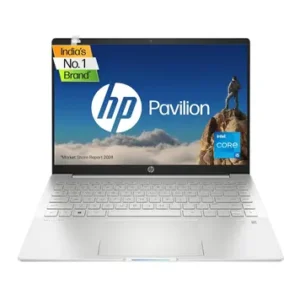
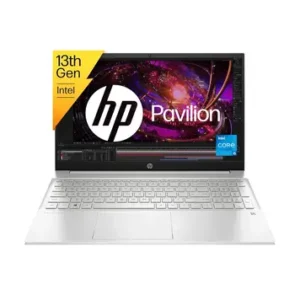
On this page you can compare HP Pavilion 15-eg3027TU (Core i5 13th Gen 1340P / 16GB/ 512GB SSD) and HP 15-eg3026TU Laptop (13th Gen Core i5/ 16GB/ 512GB SSD) side by side. Looking at HP Pavilion 15-eg3027TU (Core i5 13th Gen 1340P / 16GB/ 512GB SSD) vs HP 15-eg3026TU Laptop (13th Gen Core i5/ 16GB/ 512GB SSD) helps you quickly spot the differences in specs and features, so you can decide which one is the better fit for you. The best price currently available for HP Pavilion 15-eg3027TU (Core i5 13th Gen 1340P / 16GB/ 512GB SSD) is ₹76,800 and for HP 15-eg3026TU Laptop (13th Gen Core i5/ 16GB/ 512GB SSD) is ₹72,901. last updated on Feb 26, 2026.

HP Pavilion 15-eg3027TU (Core i5 13th Gen 1340P / 16GB/ 512GB SSD)
HP Pavilion 15-eg3027TU (Core i5 13th Gen 1340P / 16GB/ 512GB SSD) ₹76,800 Prices and availability may change on the seller's site View Price
VS
HP 15-eg3026TU Laptop (13th Gen Core i5/ 16GB/ 512GB SSD)
HP 15-eg3026TU Laptop (13th Gen Core i5/ 16GB/ 512GB SSD) ₹72,901 Prices and availability may change on the seller's site View Price

HP Pavilion 15-eg3027TU vs 15-eg3026TU: Which One Should You Buy? Specifications

Specification
HP Pavilion 15-eg3027TU (Core i5 13th Gen 1340P / 16GB/ 512GB SSD)
HP Pavilion 15-eg3027TU (Core i5 13th Gen 1340P / 16GB/ 512GB SSD) ₹76,800 Prices and availability may change on the seller's site View Price
HP 15-eg3026TU Laptop (13th Gen Core i5/ 16GB/ 512GB SSD)
HP 15-eg3026TU Laptop (13th Gen Core i5/ 16GB/ 512GB SSD) ₹72,901 Prices and availability may change on the seller's site View Price
General
In The Box Laptop, 65W AC adapter, user guide, warranty documents Laptop, 65W Smart AC power adapter, user manual / documentation
Model Name HP Pavilion 15-eg3027TU (Core i5 13th Gen 1340P / 16GB/ 512GB SSD) HP 15-eg3026TU Laptop (13th Gen Core i5/ 16GB/ 512GB SSD)
Launch Date 01/01/2023 01/04/2023
Colors Natural Silver Natural Silver
Brand HP HP
OTG Support N/A N/A
Display
Display Size 15.6, 39.6 15.6, 39.6
Resolution 1920, 1080 pixels 1920, 1080 pixels
Resolution Type Full HD (1920 x 1080) FHD (1080p)
Panel Type 15.6 inch FHD (1920 x 1080) IPS, micro-edge, anti-glare, 250 nits, 45% NTSC IPS, LED-backlit, micro-edge, anti-glare, low blue light
Brightness 250 nits 300 nits (typical)
Color Gamut 45% NTSC 100% sRGB
Refresh Rate 60 Hz 60 Hz (standard)
Touchscreen Support Non-touch display No touchscreen support
Screen Protection Not Specified Not Specified
Body
Dimensions 36.02 x 23.4 x 1.79 cm 36.02 × 23.4 × 1.79 cm (W × D × H)
Weight 1.74 kg 1.74 kg
Build Material Not Specified Lid: Aluminum sandblasted; Keyboard deck: Aluminum sandblasted; Base: Painted plastic (Natural Silver)
Keyboard Type Full-size backlit keyboard with numeric keypad Full-size backlit island (chiclet) keyboard with numeric keypad
Keyboard Features Function keys, backlit keys, numeric keypad White backlight, full-size layout with dedicated numeric keypad
Trackpad Surface HP Imagepad with multi-touch gesture support HP Imagepad with multi-touch gesture support and Precision Touchpad; smooth mylar/plastic surface
Trackpad Features Clickpad with multi-touch gesture support HP Imagepad with multi-touch gesture support, Precision Touchpad
IP Rating Not Specified Not Specified
Speaker Placement Dual stereo speakers tuned by B&O Dual speakers
Processor
Operating System Windows 11 Home Windows 11 Home 64-bit
Processor Brand Intel Intel
Processor Model Intel Core i5-1340P Intel Core i5-1340P
Core Count 12 cores (4 Performance + 8 Efficient) 12-core (4 Performance + 8 Efficient)
Threads 16 threads 16 threads
Clock Speed P-cores base 1.9 GHz, boost up to 4.6 GHz 1.9 GHz base, up to 4.6 GHz Turbo Boost
Cache 12 MB Intel Smart Cache 12 MB Intel Smart Cache (L3)
Graphics
GPU Type Integrated Integrated
GPU Model Intel Iris Xe Graphics Integrated Intel Iris Xe Graphics
VRAM Shared system memory Shared system memory
Battery
Capacity 3-cell 41 Wh Li-ion battery 3-cell, 41 Wh lithium-ion battery
Fast Charging Support 65 W Smart AC adapter with HP Fast Charge HP Fast Charge; 0 to 50% in approximately 45 minutes
Estimated Battery Life Up to 7 hours 15 minutes 5–7 hours mixed office/academic use at moderate brightness
Webcam
Webcam Resolution HP Wide Vision 720p HD camera HP Wide Vision 720p HD camera
Webcam Features 720p HD, temporal noise reduction, dual array microphones Temporal noise reduction; integrated dual-array digital microphones
Memory
RAM 16 GB 16 GB
RAM Type DDR4 DDR4
RAM Speed 3200 MHz 3200 MHz
Expandability 16 GB DDR4-3200 MHz RAM (2 x 8 GB), maximum 16 GB 2 slots populated (2×8 GB dual-channel); likely upgradeable to 32 GB
Storage
Storage Type 512 GB PCIe NVMe M.2 SSD 512 GB PCIe NVMe M.2 SSD
Capacity 512 GB 512 GB
Storage Interface PCIe NVMe, M.2, microSD card reader PCIe NVMe M.2
Expandability Single M.2 NVMe SSD slot (replaceable drive) Single M.2 slot occupied; no confirmed additional empty M.2 bay for this SKU
Supported Memory Card Types MicroSD card No card reader present
Audio
Speaker Configuration Dual speakers tuned by B&O, HP Audio Boost Dual stereo speakers tuned by Bang & Olufsen with HP Audio Boost
Audio Enhancements Audio by B&O, HP Audio Boost Bang & Olufsen tuning; HP Audio Boost processing
Microphone Quality Integrated dual array digital microphones with noise reduction Integrated dual-array digital microphones
Microphone Features Noise Cancellation Noise Cancellation
Security
Fingerprint Scanner Fingerprint reader Integrated fingerprint reader for Windows Hello sign-in
TPM Firmware TPM for Windows 11 security Firmware TPM (Trusted Platform Module)
Secure Boot Secure Boot supported (Windows 11 requirement) Supported via Windows 11 UEFI platform requirement
Encryption Features Not Specified Windows BitLocker / device encryption supported via firmware TPM
Webcam Privacy Shutter Physical Privacy Shutter No
Connectivity
Wi-Fi Standard Wi-Fi 6 (2x2) Realtek Wi-Fi 6 (802.11ax, 2×2), gigabit-class
Bluetooth Version Bluetooth 5.3 Bluetooth 5.3
Ethernet Support No built-in RJ-45 Ethernet port No built-in Ethernet port; requires external USB or USB-C adapter
Cellular Support No cellular / WWAN support No cellular modem
Other Connectivity SD Card Reader, HDMI Output, DisplayPort Alt Mode (USB-C), USB 3.2, USB-C Charging HDMI Output, DisplayPort Alt Mode (USB-C), USB 3.2, USB-C Charging
Ports
USB Ports 2 x USB-A 3.2 Gen1 (5 Gbps), 1 x USB-C 3.2 Gen2 (10 Gbps, Power Delivery, DisplayPort 1.4, HP Sleep and Charge) 1× USB Type-C (10 Gbps) with Power Delivery, DisplayPort 1.4, HP Sleep and Charge; 2× USB Type-A (5 Gbps)
HDMI 1 x HDMI 2.1 1× HDMI 2.1
Audio Jack 3.5mm headphone/microphone combo jack 1× 3.5 mm headphone/microphone combo jack
Card Reader microSD Card None
Ethernet Port No Ethernet port No Ethernet port
Other Ports AC power connector, Kensington Nano Security lock slot 1× AC Smart Pin power connector; Kensington Nano Security lock slot
Cooling
Cooling System Type Not Specified Single-fan, dual-heatpipe configuration
Noise Level Not Specified Variable (Load Dependent)
Thermal Performance Not Specified Not Specified
Software
Pre-installed Software Windows 11 Home, Microsoft Office Home & Student 2021, HP utilities Microsoft Office Home & Student 2021
OS Version Windows 11 Home Windows 11 Home 64-bit
Microsoft Office Yes Yes
Trial Software May include trial antivirus and HP bundled apps (not specified) McAfee LiveSafe (30-day trial), Microsoft 365 (1-month trial for new subscribers), Dropbox 25 GB (12-month free storage)
Disclaimer: Specifications shown may be different from the actual product. We cannot guarantee that the information provided on this page is 100% correct. Please check with the retailer before purchasing.

Detailed Review

Quick Verdict

Choose HP Pavilion 15-eg3027TU if you:
Need a microSD card slot for your camera or phone
Find it at a significantly lower price than the 3026TU
Choose HP Pavilion 15-eg3026TU if you:
Care about display quality — especially for design work, photo editing, or watching content
Find it at a significantly lower price than the 3027TU
🏆
Overall Winner HP Pavilion 15-eg3026TU — it has a clearly better display with 100% sRGB and 300 nits and costs less.

INTRODUCTION

Here’s a situation a lot of laptop buyers in India end up in — you find two laptops from the same brand, same processor, almost the same price, and you have absolutely no idea which one is actually better. The HP Pavilion 15-eg3027TU vs 15-eg3026TU comparison is exactly that situation. they look nearly identical. Same chip, same RAM, same weight, same chassis. So what’s different, and does the difference even matter?

The answer is yes — and one key difference in particular is big enough to make your buying decision pretty straightforward. In this article, you’ll get a full side-by-side breakdown of both laptops across display, performance, ports, battery, and value for money. By the end, you’ll know exactly which one to pick for your use case — whether you’re a student, a work-from-home professional, or someone who edits photos and videos on the side.

DESIGN, BUILD AND PORTABILITY

Both laptops share the same chassis, so if you’re buying based on looks and build alone, you’re not going to see much difference side by side. Both weigh exactly 1.74 kg and measure 36.02 × 23.4 × 1.79 cm — thin enough to slide into a laptop bag without bulk, light enough for a daily commute or college run.

The 3026TU has slightly more detail in the build spec — its lid and keyboard deck are listed as aluminum sandblasted, with a painted plastic base in Natural Silver. The 3027TU doesn’t specify build materials officially, but given it’s the same Pavilion 15-eg chassis, the construction is effectively identical in feel and finish.

Both have a full-size backlit keyboard with a numeric keypad — practical for accountants, students doing data entry, or anyone who works with numbers. The 3026TU is confirmed to have a Precision Touchpad, which means smoother, more accurate gesture support compared to a generic clickpad. Both have a fingerprint reader for quick Windows Hello logins. At this price range, the build quality is solid for everyday use.

DISPLAY

This is where the two laptops genuinely separate, and it matters more than most spec sheets make it sound.

The 3027TU comes with a 15.6-inch FHD IPS panel at 250 nits brightness and 45% NTSC color coverage. In real life, 250 nits is okay indoors but will struggle near a window or in a well-lit room. More importantly, 45% NTSC translates to roughly 62–65% sRGB — which means colors look washed out and dull compared to what photos or videos are actually supposed to look like.

The 3026TU, on the other hand, has a 15.6-inch FHD IPS panel at 300 nits and 100% sRGB coverage. That’s a massive difference. 100% sRGB means colors are accurate and vivid — what you see on screen is much closer to how your photos or designs are supposed to look. The extra 50 nits of brightness also makes outdoor or bright-room use noticeably more comfortable.

If you’re using this for anything visual — graphic design, photo editing, YouTube, Netflix — the 3026TU’s display is the obvious choice. Even for coding or reading documents all day, a more accurate display causes less eye strain. The 3027TU’s screen isn’t bad for basic work, but the 3026TU is clearly better for almost every use case.

Both run at 60Hz, which is standard for productivity laptops at this price point. Neither is a touchscreen.

KEYBOARD, TRACKPAD AND PORTS

Keyboard experience is effectively the same on both — full-size chiclet layout with white backlighting, a numeric keypad, and function key row. the Pavilion 15 keyboard is generally comfortable for long typing sessions, which matters if you’re writing code, reports, or assignments for hours.

The 3026TU has a Precision Touchpad — this is the Microsoft-certified standard that makes gesture recognition and pointer accuracy much better than generic alternatives. The 3027TU uses HP’s Imagepad with multi-touch, which is decent but not at the same level.

On ports, both have 2× USB-A 3.2 Gen1, 1× USB-C 3.2 Gen2 (with Power Delivery and DisplayPort 1.4), 1× HDMI 2.1, and a 3.5mm combo audio jack. You can charge via USB-C, which is genuinely useful when you’re traveling light with just one charger.

Here’s the key port difference: the 3027TU has a microSD card reader, and the 3026TU does not. If you regularly transfer files from a camera or drone, this matters. For everyone else, it’s a non-issue. Neither has a built-in Ethernet port, so you’ll need a USB-C adapter for wired internet — not unusual at this price, but worth knowing.

PERFORMANCE

Both laptops use the exact same processor — Intel’s 13th Gen Core i5-1340P — and this is one area where there’s genuinely no difference to compare. The i5-1340P has 12 cores (4 Performance + 8 Efficiency cores), 16 threads, and boosts up to 4.6 GHz. It’s paired with 16GB of DDR4-3200MHz RAM and a 512GB PCIe NVMe SSD on both models.

In real life, this chip handles everything a student or working professional throws at it with ease. Chrome with 15 tabs, Zoom calls, Word documents, Excel sheets, light Python or Java projects — it all runs without any hiccup. Video editing in DaVinci Resolve or Premiere Pro is possible for 1080p timelines, though you’ll notice it slows down on heavy effects or 4K exports. That’s expected at this price and configuration.

Both use integrated Intel Iris Xe Graphics — there’s no dedicated GPU on either model. This is fine for day-to-day use, light gaming (Minecraft, Valorant on low settings, older titles), and even light video editing. But if you’re hoping to run AAA games or do heavy 3D rendering, neither laptop is built for that.

Thermal management details aren’t officially specified for either model, but the Pavilion 15 chassis is known to run warm under sustained load. Fan noise can become noticeable during extended rendering or large file operations. For regular office and academic use, it stays quiet and cool enough.

BATTERY LIFE

Both laptops carry the same 3-cell 41 Wh lithium-ion battery, which is honestly on the smaller side for a 15.6-inch laptop in 2026. The 3027TU claims up to 7 hours 15 minutes, while the 3026TU estimates 5–7 hours under mixed office and academic use.

In real-world terms, expect around 5–6 hours on a typical workday — browsing, documents, video calls, moderate brightness. If you’re running heavier tasks, count on 3–4 hours. This is not an all-day battery. You’ll want to carry the charger if you’re heading to college or a full day of work outside.

The good news is both come with a 65W charger that supports HP Fast Charge — getting from 0 to 50% in roughly 45 minutes. USB-C charging is supported on both, so you can also top up with a compatible power bank or a third-party GaN charger, which is a nice convenience for travel.

AUDIO AND WEBCAM

Both laptops have dual stereo speakers tuned by Bang & Olufsen with HP Audio Boost. For a laptop this slim, the B&O tuning does make a difference — audio is clearer and less tinny than most budget competitors. It’s not going to replace a Bluetooth speaker, but it’s perfectly fine for YouTube, Netflix, or Zoom calls.

Webcam is a 720p HP Wide Vision camera on both — standard for this price range, acceptable for video calls in good lighting, but nothing special. Both have dual-array digital microphones with noise cancellation, which helps cut out background noise on calls.

CONNECTIVITY

Connectivity is identical on both models — Wi-Fi 6 (802.11ax, 2×2) and Bluetooth 5.3. Wi-Fi 6 is increasingly common with newer home routers in India, and if your router supports it, you’ll get noticeably faster and more stable wireless speeds compared to older Wi-Fi 5 laptops.

Neither model supports 4G or 5G LTE cellular connectivity — that’s typically reserved for business-class or premium ultrabooks. Both support Bluetooth 5.3, which is the current standard and handles wireless mice, earbuds, and speakers without any issues. No Ethernet port on either, so keep a USB-C to RJ45 adapter handy if your office or hostel runs wired connections.

PRICE AND VALUE

Here’s where things get interesting. At this time, The HP Pavilion 15-eg3027TU is priced at approximately ₹76,800–₹77,728 on Flipkart and Amazon respectively. The HP Pavilion 15-eg3026TU is available for around ₹72,901 on Amazon and ₹77,990 on Flipkart.

If you buy from Amazon, the 3026TU is actually cheaper than the 3027TU — and it has a significantly better display. That makes it the clear value winner. You’re paying less and getting more.

The 3027TU does have a microSD card slot as minor extra, but at roughly ₹4,000–₹5,000 more on Amazon, this addition don’t justify the price gap — especially when the display on the 3027TU is noticeably inferior. For anyone looking at the best laptop between these two in India, the 3026TU offers better day-to-day value with its 100% sRGB display and lower price. Both include Microsoft Office Home & Student 2021 pre-installed, which saves you the cost of a separate Office license.

OUR CONCLUSION

If you’re choosing between the HP Pavilion 15-eg3027TU and 15-eg3026TU, the 3026TU is the better overall pick with a stronger display, better upgrade flexibility, and more competitive pricing. The 3027TU only adds a microSD card slot.

For students, the 3026TU is the better everyday machine — the accurate 100% sRGB display is easier on the eyes and more useful for presentations, photo assignments, and content consumption. For work-from-home professionals doing documents, spreadsheets, and video calls, the 3026TU again edges ahead with a better display and the option to upgrade RAM to 32GB if needed down the line. For photographers or creators who regularly transfer files from cameras, the 3027TU’s microSD slot saves you from needing an adapter.

For most buyers in 2026, the HP Pavilion 15-eg3026TU is the better choice. It has a better display, similar performance, and is usually priced lower. However, your final decision should also depend on the current price. If either laptop is available at a significantly lower price, that model could be the better deal.

If you’re still confused, check our individual reviews to make a better buying decision.
HP 15-eg3026TU Laptop (13th Gen Core i5/ 16GB/ 512GB SSD)
HP Pavilion 15-eg3027TU (Core i5 13th Gen 1340P / 16GB/ 512GB SSD)

Frequently Asked Questions

Is the HP Pavilion 15-eg3026TU good for college students?
Yes, it's a solid choice for college. The 13th Gen i5-1340P handles coding, presentations, and research work comfortably. The 100% sRGB display also makes it better for design or media students compared to similarly priced options.
Can I upgrade the RAM on these HP Pavilion laptops?
The 3026TU is likely upgradeable to 32GB, while the 3027TU is at a maximum of 16GB. If future-proofing matters to you, the 3026TU has the edge here.
Is 41 Wh battery enough for a full day of college or work?
Not really. You'll get around 5–6 hours on typical tasks, which means carrying the charger to college or the office is a good idea.
Which laptop is better for photo editing — the 3027TU or the 3026TU?
The 3026TU is significantly better for photo editing. Its 100% sRGB display ensures colors look accurate, which is essential when you're editing images. The 3027TU's 45% NTSC display will show colors that look dull and inaccurate, making editing unreliable.
Do either of these laptops support gaming?
Light gaming is possible — titles like Valorant, CS2 on low settings, or Minecraft run fine on the integrated Intel Iris Xe Graphics. Neither laptop has a dedicated GPU, so heavy AAA gaming or high-refresh gaming is not their strong suit.

Similar Laptops to Consider

Alternatives in the same price range
Latest Laptop Reviews

In-depth reviews based on specifications, research, and analysis
Recently Added Comparisons

Latest comparisons added to our collection

Disclaimer: Prices and specifications shown may vary from actual products. Please check with the retailer before purchasing.

Was this helpful?

100% found this helpful

Thank you for your feedback!

User Comments

No comments yet. Be the first to share your thoughts!

Leave a Comment

Your email will not be published. Required fields are marked *