Pros
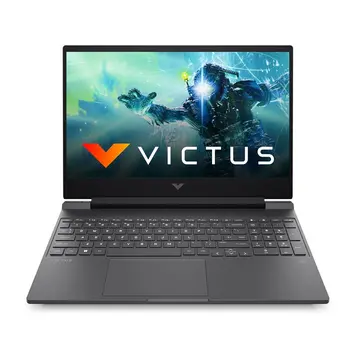
144Hz Display Rare at This Price: Most budget gaming laptops have 60Hz screens. The 144Hz display makes gaming much smoother in fast-paced games. This feature usually costs ₹55,000+.
Easy to Upgrade RAM and Storage: Two RAM slots let you add up to 32GB total. Two M.2 slots let you add storage without removing the original SSD. Many competitors have soldered RAM or single storage.
Good Cooling System: Temperatures stay at 71°C (CPU) and 65°C (GPU) during gaming. Many budget laptops overheat and slow down. The HP Victus stays cool and fast.
Solid Build Quality: The plastic body feels sturdy with minimal flex. It’s not premium like metal laptops, but build quality is good. The spill-resistant keyboard adds protection.
Complete Port Selection: HDMI 2.1, USB-C with DisplayPort, three USB ports, ethernet, and SD card reader. Everything you need for gaming setup and external devices.
Fast Charging: The 150W adapter reaches 50% battery in 30 minutes. Quick top-ups between classes or gaming sessions.
Cons
Dim Display (250 Nits): Biggest problem is low brightness. Screen is hard to see outdoors or near windows. Gaming laptops should have 300-400 nits. Indoor use with controlled lighting is okay.
Poor Colors (45% NTSC): Color coverage is only 60-65% sRGB. Not accurate enough for photo editing or video work. Need 100% sRGB minimum for professional work.
Plastic Body Feels Cheap: Plastic construction is practical but doesn’t feel premium. Aluminum laptops feel more expensive and sturdy.
Single RAM Stick Slows Performance: Ships with one 8GB RAM stick in single-channel mode. This is 10-15% slower than dual-channel. Need to buy a second stick for full speed.
Small Battery (52.5 Wh): Battery is smaller than most gaming laptops. Gaming on battery gives only 3-4 hours with reduced performance. Need to stay plugged in for gaming.
No Fingerprint Scanner or Webcam Shutter: No biometric login for convenience. No physical privacy shutter for webcam. Need to use passwords or buy a webcam cover.









User Comments
No comments yet. Be the first to share your thoughts!
Leave a Comment