Home Laptop ReviewsHP Pavilion 15-eg3027TU Review: Is This 13th Gen Core i5 Laptop Worth Buying?

HP Pavilion 15-eg3027TU Review: Is This 13th Gen Core i5 Laptop Worth Buying?

8.4 /10 Great Value

The HP Pavilion 15-eg3027TU offers excellent processing power for daily tasks. The 12-core processor and 16GB RAM handle multitasking well. However, the small 41Wh battery and average display brightness limit its appeal. At ₹54,990 on Flipkart, it's an outstanding value for students and professionals who work near power outlets.

Processor

13th Gen Intel Core i5-1340P

Display

15.6 " Full HD 60 Hz

Graphics

Intel Iris Xe Graphics

Webcam

HD (720p)

Battery

41 wh Li-ion

OS

Windows 11 Home

RAM

16 GB DDR4

Storage

512 GB

Category Ratings

Design & Build 7.0/10
Display Quality 6.0/10
Performance 8.5/10
Graphics 6.0/10
Keyboard & Input 7.5/10
Battery Life 5.5/10
Connectivity 7.5/10
Value for Money 9.0/10

Pros

  • Powerful 13th Gen Core i5 with 12 cores
  • 16GB DDR4 RAM and fast 512GB NVMe SSD
  • Light 1.74kg chassis with Wi-Fi 6 connectivity

Cons

  • Small 41Wh battery limits all-day unplugged use
  • 250-nit 45% NTSC display not very bright
  • No dedicated GPU for heavy AAA gaming

Who Should Buy This?

Best For

  • Students (College and University)
  • Office Workers and Remote Employees
  • Home Users and General Computing
  • Entry-Level Content Creators

Not Ideal For

  • Gamers
  • All-Day Mobile Workers
  • Professional Photo/Video Editors
  • Heavy Multitaskers

HP Pavilion 15-eg3027TU (Core i5 13th Gen 1340P / 16GB/ 512GB SSD) Prices

Flipkart
₹54,990 In Stock
Go To Store
Amazon
₹77,709 In Stock
Go To Store
Price Disclaimer: Prices are subject to change and may vary from the actual price at the store. We cannot guarantee the accuracy of the prices shown. Please check with the retailer before purchasing.

Introduction

The HP Pavilion 15-eg3027TU is a mid-range laptop powered by Intel’s 13th generation Core i5-1340P processor. This laptop targets students, office workers, and home users who need reliable performance for everyday tasks. With 16GB RAM and a 512GB SSD, it promises smooth multitasking at a reasonable price.

In this HP Pavilion 15-eg3027TU Review, we’ll examine the laptop based on its official specifications. We’ll look at what it does well and where it falls short. The laptop is available in India starting at ₹54,990, making it an excellent value option for productivity work.

This review will help you decide if this laptop fits your needs. We’ll cover everything from the display quality to battery life.

Quick Overview

Model: HP Pavilion 15-eg3027TU
Launch Date: 2023 (Available in 2026)
Starting Price: ₹54,990
Best For: Students, office work, everyday computing
Key Highlight: 12-core Intel processor with 16GB RAM
Overall Score: 8.4/10

Design & Build Quality

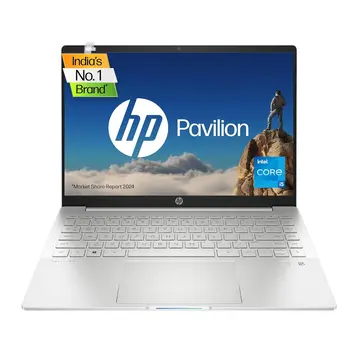
The HP Pavilion 15-eg3027TU has a simple, functional design. The laptop measures 36.02 x 23.4 x 1.79 cm and weighs 1.74 kg. This makes it easy to carry in a backpack for daily use.

The laptop comes in Natural Silver color. According to Specifications, the body uses polycarbonate (plastic) construction. While not as premium as aluminum, this keeps the laptop lightweight and affordable.

The laptop is slim at 1.79 cm thick. This profile fits easily into laptop bags. The weight of 1.74 kg is reasonable for a 15.6-inch laptop, though some newer models are lighter.

Durability Features: The laptop does not have any official IP rating for water or dust resistance. There are no military-grade durability certifications mentioned. You should handle this laptop with normal care and avoid exposing it to liquids.

Keyboard Layout: The laptop has a full-size backlit keyboard with a numeric keypad. This is useful for entering numbers and working with spreadsheets. The keyboard backlighting helps when typing in dark rooms.

Security Features: The laptop includes a fingerprint reader for quick login. There’s also a physical privacy shutter for the webcam, which you can slide closed when not using the camera.

Build Quality Notes: The polycarbonate body may not feel as solid as metal laptops. However, it should hold up well with regular student or office use. The laptop includes a Kensington lock slot for physical security in public spaces.

Display Quality

The HP Pavilion 15-eg3027TU features a 15.6-inch Full HD display with 1920 x 1080 pixel resolution. The display uses IPS technology, which provides better viewing angles than cheaper TN panels.

Brightness: At 250 nits, the display is suitable for indoor use. However, it struggles in bright environments. If you work near windows or outdoors, you’ll find the screen difficult to see. For comparison, many laptops now offer 300+ nits brightness.

Color Accuracy: The 45% NTSC color coverage translates to about 63% sRGB. This is below the standard 100% sRGB that professional work requires. The limited color range means:

  • Photos may not show accurate colors
  • Video editing will have color accuracy issues
  • Web browsing and documents look fine

Viewing Angles: The IPS panel provides good viewing angles. Colors don’t shift much when you view the screen from the side. This is better than cheaper TN panels.

Refresh Rate: The 60 Hz refresh rate is standard for office laptops. It’s smooth enough for documents and videos. Gamers looking for 90Hz or 120Hz displays should look elsewhere.

Display Features: The screen has an anti-glare coating, which reduces reflections. The micro-edge design means smaller bezels around the screen. There’s no touchscreen support.

Who This Display Suits:

  • Office workers who need clear text
  • Students taking notes and reading documents
  • Casual video watchers

Who Should Skip This Display:

  • Photo editors who need accurate colors
  • Video editors working with color grading
  • People who work outdoors frequently

Important Note: HP makes another model (eg3026TU) with a better display. That model has 300 nits brightness and 100% sRGB color coverage. However, the eg3027TU model we’re reviewing has the lower-spec 250 nit display.

Processor Performance

The HP Pavilion 15-eg3027TU uses Intel’s Core i5-1340P processor from the 13th generation. This is a mid-range processor with good performance for everyday tasks.

How the Processor Works: Intel’s 13th Gen processors use a hybrid design. The 4 Performance cores (P-cores) handle demanding tasks. The 8 Efficiency cores (E-cores) manage background work and save power. This design balances performance with battery life.

Expected Performance:

Office Work: The processor easily handles Microsoft Office applications. You can open multiple Excel spreadsheets, Word documents, and PowerPoint presentations at the same time. Web browsing with 20+ tabs works smoothly.

Video Calls: The processor runs Zoom, Microsoft Teams, and Google Meet without issues. You can have a video call while taking notes and checking email.

Photo Editing: Adobe Lightroom runs well for organizing and basic editing. The processor handles RAW photo processing at a reasonable speed. Complex edits with many adjustments may slow down slightly.

Video Editing: Basic 1080p video editing works in Adobe Premiere Pro or DaVinci Resolve. Simple cuts, transitions, and color corrections are smooth. Heavy effects and 4K video will slow down the laptop.

Programming: The processor handles coding environments well. Visual Studio Code, Android Studio, and similar tools run smoothly. Compiling medium-sized projects is reasonably fast.

Gaming: Light games and older titles run well. Modern demanding games need lower settings. (See the Graphics section for more details.)

How It Compares: The i5-1340P performs similarly to the previous generation’s i7-1250P. It’s significantly faster than 11th and 12th Gen Core i5 processors with fewer cores.

RAM & Storage

RAM Specifications:

About the RAM: The laptop comes with 16GB of RAM, which is good for multitasking. The dual-channel setup (2 x 8GB sticks) is faster than single-channel configurations.

The RAM is soldered or uses both slots, so you cannot upgrade beyond 16GB. This is a limitation. If you think you’ll need more than 16GB in the future, consider a different laptop.

For most students and office workers, 16GB is enough. It handles:

  • Multiple browser tabs (30+)
  • Office applications running together
  • Light photo editing
  • Background apps and antivirus software

Storage Specifications:

About the Storage: The 512GB NVMe SSD provides fast performance. NVMe drives are much faster than older SATA SSDs. You’ll notice:

  • Windows boots in 10-15 seconds
  • Applications open quickly
  • Files copy faster
  • Overall system feels responsive

The laptop uses one M.2 slot for storage. You can replace the 512GB drive with a larger capacity SSD (1TB, 2TB) if needed. This requires opening the laptop and might void the warranty, so check with HP first.

Storage Expansion: The laptop has a microSD card reader. You can use microSD cards for extra storage. This is useful for storing photos, videos, and documents.

Is 512GB Enough?:

  • For basic use (documents, web browsing): Yes, plenty
  • For students (notes, assignments, some media): Yes
  • For photo storage (large RAW libraries): Might need external drive
  • For video editing (lots of footage): Will need external storage
  • For gaming (modern games are 50-100GB each): Limited to 5-8 games

Graphics Performance

The HP Pavilion 15-eg3027TU uses Intel Iris Xe Graphics. This is an integrated GPU, meaning it’s built into the processor. The laptop does not have a dedicated graphics card.

What “Integrated Graphics” Means: The GPU shares memory (RAM) with the processor instead of having its own dedicated memory. This is fine for everyday tasks but limits gaming performance.

Expected Gaming Performance:

Light/Casual Games (Good Performance):

  • Minecraft: 60+ FPS at 1080p
  • Stardew Valley: 60 FPS
  • Among Us: 60 FPS
  • Terraria: 60 FPS

eSports Titles (Playable):

  • Valorant: 50-60 FPS at 1080p medium settings
  • CS:GO: 45-60 FPS at 1080p medium settings
  • League of Legends: 55-65 FPS at 1080p medium settings
  • Dota 2: 50-60 FPS at 1080p medium settings

Modern AAA Games (Poor Performance):

  • Cyberpunk 2077: 20-25 FPS at 720p low (not playable)
  • Red Dead Redemption 2: 25-30 FPS at 720p low (barely playable)
  • Call of Duty: 30-35 FPS at 1080p low settings
  • Most modern games: Need low settings for 30-40 FPS

Creative Work Performance:

Video Editing:

  • 1080p editing: Works smoothly for basic projects
  • 4K editing: Possible but slow, especially with effects
  • Rendering: Takes longer than laptops with dedicated GPUs

Photo Editing:

  • Lightroom: Handles RAW files well
  • Photoshop: Works fine for most tasks
  • Heavy filter stacks: May cause some slowdown

3D Rendering:

  • Blender: Can be used for learning, but renders slowly
  • SketchUp: Basic models work fine
  • Complex 3D work: Not recommended

Display Outputs:

  • HDMI 2.1 port supports 4K external monitors at 60Hz
  • USB-C port supports DisplayPort 1.4 for additional monitors
  • Can connect two external displays total

Bottom Line: The Intel Iris Xe Graphics is fine for everyday use, casual gaming, and light creative work. If you want to play modern AAA games or do professional video editing, you need a laptop with a dedicated GPU.

Keyboard & Touchpad

Keyboard:

The keyboard is full-size, which means the keys are not cramped. The numeric keypad on the right side is useful for number entry. The backlit keys help when typing in dark environments.

HP doesn’t specify the exact key travel distance. Based on typical HP Pavilion keyboards, expect around 1.3-1.5mm of travel. This provides adequate feedback for typing.

The keyboard layout follows HP’s standard design. If you’ve used an HP laptop before, this will feel familiar. The keys are well-spaced for comfortable typing.

Touchpad:

The touchpad supports multi-finger gestures for Windows 11:

  • Two-finger scrolling
  • Three-finger window switching
  • Four-finger desktop view
  • Pinch to zoom

The clickpad design means the entire touchpad can be pressed down to click. This works like traditional left and right mouse buttons. The touchpad should support palm rejection to avoid accidental clicks while typing.

Fingerprint Reader: The laptop includes a fingerprint reader for Windows Hello login. This lets you log in quickly without typing a password. The exact location isn’t specified, but it’s likely near the keyboard or integrated into the power button.

Webcam:

The 720p webcam is standard for business laptops. It’s good enough for video calls on Zoom, Teams, and Google Meet. The camera has temporal noise reduction, which helps reduce grain in low light. The physical privacy shutter lets you cover the camera when not in use.

Microphones: Dual array digital microphones with noise cancellation. These microphones reduce background noise during video calls.

Battery Life & Charging

Expected Battery Life:

The 41Wh battery is small for a 15.6-inch laptop. Many similar laptops have 50-56Wh batteries. This smaller battery limits how long you can use the laptop unplugged.

Light Use (6-7 hours):

  • Web browsing at 50% brightness
  • Word documents and note-taking
  • Email and light apps
  • Wi-Fi on, minimal background apps

Medium Use (4-5 hours):

  • Mix of web browsing and productivity apps
  • Streaming videos on YouTube or Netflix
  • Video calls
  • Multiple apps open

Heavy Use (2.5-3.5 hours):

  • Photo editing
  • Light gaming
  • Video editing
  • Maximum screen brightness
  • Heavy multitasking

Charging Speed:

  • 0 to 50%: Approximately 30-40 minutes
  • 0 to 100%: Approximately 90-120 minutes

The HP Fast Charge feature charges the battery quickly when needed. The USB-C port supports Power Delivery, so you can also charge with a compatible USB-C charger. This is convenient if you have other USB-C devices.

Battery Life Tips:

  • Reduce screen brightness when possible
  • Close unnecessary background apps
  • Use battery saver mode for extended life
  • Avoid running heavy programs on battery power

Important Note: The small 41Wh battery is one of this laptop’s main weaknesses. If you need all-day battery life for classes or meetings away from power outlets, this laptop may not be ideal. Consider bringing the charger with you.

Ports & Connectivity

USB Ports:

The two USB-A ports work with standard USB devices like mice, keyboards, and flash drives. The 5 Gbps speed is good for most peripherals.

The USB-C port is faster at 10 Gbps. It also supports:

  • Power Delivery for charging the laptop
  • DisplayPort 1.4 for external monitors
  • HP Sleep and Charge (charges phones even when laptop is off)

Display Outputs:

The HDMI 2.1 port can connect to 4K TVs and monitors. It supports high refresh rates for compatible displays. The USB-C port provides a second display output option.

Audio:

This standard headphone jack works with headphones, headsets, and external microphones.

Card Reader:

You can use microSD cards for extra storage or to transfer photos from cameras and phones.

Missing Ports:

  • No Ethernet (RJ-45) port – you’ll need a USB adapter for wired internet
  • No Thunderbolt 4 support (USB-C is Gen 2, not Thunderbolt)
  • No SD card reader (only microSD)

Wireless Connectivity:

Wi-Fi:

Wi-Fi 6 is the current standard. It provides:

  • Faster speeds than Wi-Fi 5
  • Better performance in crowded networks (like dorms or offices)
  • More efficient power use
  • Improved range

Bluetooth:

Bluetooth 5.3 is the latest version. It offers:

  • Better connection stability
  • Improved power efficiency
  • Faster pairing
  • Extended range

Cellular: No 4G/5G cellular support. You’ll need Wi-Fi or mobile hotspot for internet.

Audio & Webcam Quality

Speakers:

The laptop has two speakers that provide stereo sound. B&O tuning means Bang & Olufsen has optimized the audio processing for better sound quality. HP Audio Boost increases maximum volume.

What to Expect:

  • Loud enough for a small room
  • Clear dialogue in videos and movies
  • Limited bass (typical for thin laptops)
  • Good for video calls and casual music
  • Better than untuned laptop speakers

For the best audio experience, use headphones or external speakers.

Microphones:

The dual microphones capture your voice from different angles. The noise cancellation helps reduce background sounds like keyboard typing, air conditioning, and ambient noise. This improves video call quality.

Webcam:

The 720p webcam is standard for most business laptops. It’s sufficient for video calls but not as sharp as 1080p webcams on premium laptops.

Video Call Quality:

The webcam does not support Windows Hello facial recognition. You’ll need to use the fingerprint reader or password to log in.

Overall Assessment: The audio and webcam are adequate for online classes and work meetings. They’re not exceptional, but they get the job done. The physical webcam shutter is a nice privacy feature.

Who Should Buy This Laptop?

Best For:

1. Students (College and University)
This laptop works well for students. The 12-core processor handles note-taking apps, research, essay writing, and online learning platforms. The 16GB RAM lets you run multiple apps while attending virtual classes. The lightweight 1.74kg design makes it easy to carry between classes.

However, the 4-5 hour battery life means you’ll need to charge during the day. Bring the charger if you have long class days.

2. Office Workers and Remote Employees
The laptop handles office tasks excellently. Microsoft Office applications, email, web browsers, and business software run smoothly. The 720p webcam and dual microphones work fine for Zoom and Teams meetings. The fingerprint reader provides quick, secure login.

The limited battery life is fine if you work at a desk near power outlets. It’s less ideal for field work or long meetings away from chargers.

3. Home Users and General Computing
For everyday computing, this laptop performs well. Web browsing, streaming videos, managing photos, and casual tasks work without problems. The Full HD display is good for Netflix and YouTube. The speakers are loud enough for a room.

4. Entry-Level Content Creators
The laptop can handle basic creative work:

  • Photo editing: Lightroom and basic Photoshop work fine
  • Video editing: Simple 1080p projects are okay
  • Graphic design: Standard design tools run acceptably

However, the limited color gamut (45% NTSC) isn’t ideal for color-critical work. Professional creators should look elsewhere.


Not Ideal For
:

Gamers: The integrated graphics can’t handle modern AAA games well. Stick to light games or eSports titles. Serious gamers need a laptop with a dedicated GPU.

All-Day Mobile Workers: The 41Wh battery provides only 4-5 hours of real-world use. If you’re frequently away from power outlets for 6-8 hours, this laptop will disappoint you.

Professional Photo/Video Editors: The display’s limited brightness (250 nits) and color coverage (45% NTSC) make accurate color work difficult. The integrated graphics also slow down rendering.

Heavy Multitaskers (Future-Proofing): The 16GB RAM limit means you can’t upgrade later. If you think you’ll need 32GB in a few years, buy a different laptop now.

How It Compares to Competitors

The HP Pavilion 15-eg3027TU competes in the ₹50,000-₹80,000 range. This segment has many options from Dell, Lenovo, Acer, and ASUS.

Strengths vs Competitors:

1. Processor: The 12-core i5-1340P outperforms most competitors with older 11th or 12th Gen processors or standard (non-P series) 13th Gen chips. The hybrid architecture (4P + 8E cores) beats traditional 6-core or 8-core designs in multitasking.

2. RAM: The 16GB configuration is better than many ₹65,000-₹70,000 laptops that still offer only 8GB. This gives the HP an advantage for multitasking.

3. Storage: The 512GB NVMe SSD (Gen 4) is faster than competitors using SATA SSDs or older Gen 3 NVMe drives.

4. Weight: At 1.74kg, it’s lighter than many 15.6-inch competitors that weigh 1.8-1.9kg.

Weaknesses vs Competitors:

1. Battery: The 41Wh battery is significantly smaller than competitors offering 50-56Wh batteries. This directly impacts usability for mobile users.

2. Display: The 250 nit brightness and 45% NTSC color coverage lag behind competitors with 300+ nit, 100% sRGB displays at similar prices.

3. Build Quality: The polycarbonate (plastic) body feels less premium than competitors with aluminum construction.

4. Ports: Only one USB-C port and no Thunderbolt 4 support. Some competitors offer two USB-C ports or Thunderbolt connectivity.

Price-to-Performance:

At ₹54,990 (Flipkart), the HP Pavilion offers exceptional value. The 12-core processor and 16GB RAM combination usually costs ₹70,000-₹80,000 in competing brands. The laptop delivers strong performance at a significantly lower price point.

The Amazon price of ₹77,709 eliminates this value advantage. At that price, many competitors offer similar or better specifications. Always buy from Flipkart for this model.

However, if battery life or display quality matter more to you than raw processor power, some competitors may serve you better even at similar prices.

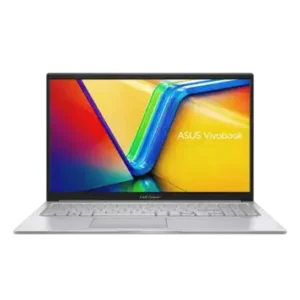
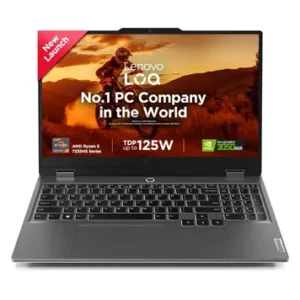
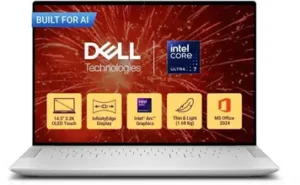
Comparable Alternatives:

Pros & Cons

Pros:

Powerful 13th Gen Core i5 with 12 Cores: The Intel Core i5-1340P delivers excellent multitasking performance. The 4 Performance cores and 8 Efficiency cores handle demanding productivity work smoothly. This is one of the best processors in this price range.

16GB DDR4 RAM and Fast 512GB NVMe SSD: Dual-channel 16GB RAM is more than adequate for students and office workers. The NVMe Gen 4 SSD provides quick boot times and fast file access. This combination ensures smooth multitasking.

Lightweight 1.74kg Chassis with Wi-Fi 6 Connectivity: The laptop is easy to carry for daily commutes or campus movement. Wi-Fi 6 support ensures good wireless performance. The slim 1.79cm profile fits standard laptop bags.

Exceptional Value at ₹54,990: At the Flipkart price, this laptop offers outstanding value. You get 12-core processing power and 16GB RAM for significantly less than competitors. This is the laptop’s biggest strength.

Good Security Features: Fingerprint reader provides quick biometric login. Physical webcam shutter addresses privacy concerns. Firmware TPM provides Windows 11 security.

Decent Audio for Video Calls: B&O-tuned speakers sound better than average laptop speakers. Dual noise-cancelling microphones improve video call quality.

Full-Size Backlit Keyboard: The keyboard includes a numeric keypad and backlighting. Good for typing documents and working with spreadsheets in low light.

Cons:

Small 41Wh Battery Limits All-Day Unplugged Use: The battery capacity is too small for a 15.6-inch laptop. You get only 4-5 hours of real-world use. This is insufficient for full-day classes or work without charging access. Competitors offer 50-56Wh batteries.

250-nit 45% NTSC Display Not Very Bright: The display struggles in bright environments. The limited color coverage (45% NTSC = 63% sRGB) isn’t suitable for color-critical work. Many competitors now offer 300+ nit brightness and 100% sRGB at similar prices.

No Dedicated GPU for Heavy AAA Gaming: Intel Iris Xe integrated graphics can’t handle modern AAA titles. Professional video rendering and 3D work will be slow. Gamers need a laptop with a dedicated graphics card.

RAM Not Upgradeable Beyond 16GB: The 16GB maximum can’t be expanded. This limits future-proofing for power users who might need more RAM later.

Plastic Build Feels Less Premium: The polycarbonate construction doesn’t feel as solid as aluminum laptops. May not be as durable for long-term use.

Limited Port Selection: Only one USB-C port and no Thunderbolt 4. No built-in Ethernet port requires a USB adapter for wired internet.

Frequently Asked Questions

Is the HP Pavilion 15-eg3027TU worth buying in 2026?

Yes, if you prioritize processing power and value for money. The 12-core i5-1340P and 16GB RAM deliver strong performance for students and office workers. However, skip it if you need all-day battery life or a bright, color-accurate display.

What is the real battery life?

Expect 4-5 hours of mixed use (web browsing, productivity apps, video streaming). Light use might reach 6-7 hours. Heavy tasks like video editing reduce it to 3-4 hours.

Can this laptop run games?

Casual and eSports games: Yes. Titles like Valorant, CS:GO, and League of Legends run at playable frame rates (45-60 FPS) on medium settings. Modern AAA games: No. Games like Cyberpunk 2077 or Red Dead Redemption 2 run poorly even on low settings.

Can I upgrade the RAM?

No. The laptop comes with 16GB, which is the maximum. The RAM cannot be upgraded. If you think you'll need more than 16GB later, choose a different laptop.

Can I upgrade the storage?

Yes. The 512GB NVMe SSD can be replaced with a larger drive (1TB, 2TB). However, this requires opening the laptop, which may void your warranty. Check with HP first. The microSD card slot provides easier storage expansion.

Is the display good for photo/video editing?

No. The 250-nit brightness and 45% NTSC (63% sRGB) color coverage are below professional standards. The display is fine for viewing photos but not for color-critical editing work. Professional editors should get a laptop with 100% sRGB or better.

How good is the keyboard for typing?

The keyboard is decent. It's full-size with a numeric keypad and backlighting. The key travel (likely 1.3-1.5mm) provides adequate feedback. It's comfortable enough for extended typing sessions for essays, reports, and coding.

Does it support USB-C charging?

Yes. The USB-C port supports Power Delivery, so you can charge the laptop with a compatible USB-C charger. This is convenient if you have other USB-C devices. You're not limited to the included 65W charger.

What's the difference between eg3026TU and eg3027TU?

According to HP's official, the main differences are:

Windows version: eg3026TU has Windows 11 Home, while eg3027TU has Windows 11 Home Single Language
Display: eg3026TU has a better 300-nit, 100% sRGB display with low blue light. The eg3027TU (this model) has 250 nits and 45% NTSC.

The eg3026TU has the better screen.

Final Verdict: Should You Buy?

8.4 /10
Great Value

Summary:

The HP Pavilion 15-eg3027TU is an outstanding mid-range laptop with exceptional value. The 12-core Intel i5-1340P and 16GB RAM handle everyday tasks, multitasking, and light creative work excellently. At ₹54,990 on Flipkart, it offers the best price-to-performance ratio in this category. This is a smart buy for students and professionals who primarily work indoors.

Strengths: The processor outperforms most laptops in this price range. The 16GB RAM and 512GB NVMe SSD provide smooth multitasking and fast storage. The lightweight design (1.74kg) makes it portable. The value at ₹54,990 is unbeatable.

Weaknesses: The 41Wh battery severely limits mobile use – you’ll need to charge after 4-5 hours. The display is average with low brightness and limited color coverage. The plastic build feels less premium than metal competitors.

Who Should Buy:
Students who carry laptops to classes (with access to charging)
Office workers at desks with power outlets nearby
Home users who need reliable everyday performance
Value-conscious buyers wanting maximum processing power per rupee

Who Should Skip:
Mobile workers who need 6-8+ hours of battery life
Gamers wanting to play modern AAA titles
Photo/video editors needing accurate color displays
Anyone considering the ₹77,709 Amazon price

Bottom Line: At ₹54,990 (Flipkart), this laptop delivers exceptional value with strong processing power, ample RAM, and fast storage. The compromises on battery life and display quality are reasonable trade-offs at this price.

Disclaimer: Prices and specifications shown may vary from actual products. Please check with the retailer before purchasing.