
Comparison
Compare Products Side-by-Side
Detailed side-by-side comparison of specifications, features and latest prices in India.
| Specification |

|
|
|
|
|
|---|---|---|---|---|---|
| General | |||||
| In The Box | Laptop, Battery, AC Adapter, User Guide | Laptop, 65W USB Type-C Adapter, Documentation | Laptop, 65W USB-C Power Adapter, User Guide, Warranty Documents | Laptop, battery, 240W AC adapter, user guide | Laptop, 170W Power Adapter (3-pin Slim Tip), User Documentation |
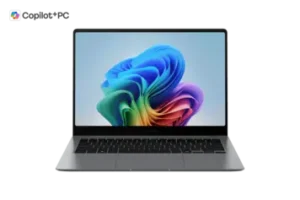
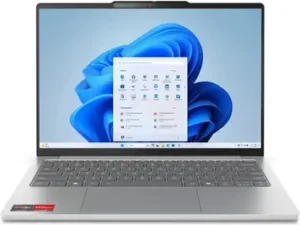
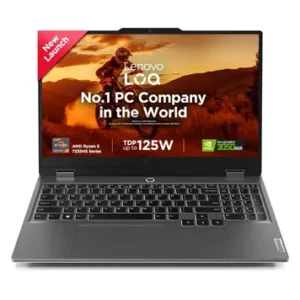
| Model Name | Asus Vivobook S14 OLED S3402ZA-KM502WS Laptop (12th Gen Core i5/ 16GB/ 512GB SSD) | NP940XHA-LG1IN | IdeaPad Slim 5 13ARP10 (Gen 10) | Dell G15-5530 (Dell G Series 15) | Lenovo LOQ 15ARP9 |
| Launch Date | 01/05/2022 | 04/03/2025 | 28/11/2024 | 05/01/2024 | 08/10/2024 |
| Colors | Indie Black | Gray | Cloud Grey, Glacier White, Polar Blue | Dark Shadow Gray | Luna Grey |
| Brand | ASUS | Samsung | Lenovo | Dell | Lenovo |
| OTG Support | N/A | N/A | Yes | N/A | Yes |
| Display | |||||
| Display Size | 14, 35.56 | 14, 35.56 | 13.3, 33.78 | 15.6, 39.62 | 15.6, 39.62 |
| Resolution | 2880, 1800 pixels | 2880, 1800 pixels | 1920, 1200 pixels | 1920, 1080 pixels | 1920, 1080 pixels |
| Resolution Type | 2.8K (2880 x 1800) OLED display | 3K WQXGA+ | WUXGA (1920x1200) | Full HD | Full HD (1920 x 1080) |
| Panel Type | OLED NanoEdge wide-view panel | Dynamic AMOLED 2X | IPS (In-Plane Switching) | IPS-type (WVA) panel | IPS |
| Brightness | Peak brightness 600 nits | 400 nits (SDR), 500 nits (HDR) | 400 nits | ~250 nits (typical) | 300 nits |
| Color Gamut | 100% DCI-P3, wide color gamut, PANTONE Validated | DCI-P3 100%, sRGB 100% | 100% sRGB | ~45% NTSC | 100% sRGB |
| Refresh Rate | 90 Hz refresh rate | 120Hz Adaptive | 60 Hz | 120 Hz | 144 Hz |
| Touchscreen Support | Non-touch display | Yes, multi-touch capacitive | No | No | No |
| Screen Protection | Not Specified | Corning Gorilla Glass DX with anti-reflective coating | Anti-glare coating, TÜV Rheinland Low Blue Light Certified, Eyesafe 2.0 Certified | N/A | Anti-glare coating, TÜV Low Blue Light (Software) |
| Body | |||||
| Dimensions | 316.4 x 224.5 x 18.9 mm (W x D x H) | 312.3 x 223.8 x 11.6 mm (W x D x H) | 295.58 x 206.95 x 14.3 mm (11.64 x 8.15 x 0.56 inches) | 357.3×274.5×26.2 mm | 359.86 x 258.7 x 21.9-23.9 mm (H x W x D) |
| Weight | 1.50 kg | 1.23 kg | Around 1.15 kg | 2.65 kg | 2.38 kg (5.25 lbs) |
| Build Material | Metallic Vivobook S14 OLED chassis, Neutral Grey finish (material not clearly specified) | Full-metal aluminum chassis | Aluminum unibody construction | plastic/polycarbonate | PC-ABS plastic back and frame |
| Keyboard Type | Chiclet backlit keyboard | Chiclet-style backlit Pro Keyboard | 6-row multimedia backlit keyboard | US layout full-size, 4-zone RGB backlit, Key travel ~1.4 mm | 6-row Chiclet with numeric keypad, White Backlit |
| Keyboard Features | Backlit keyboard with function keys and fingerprint sensor in power button | Backlit with adjustable brightness, spill-resistant design | Copilot key, multimedia Fn keys, LED backlight | Function Keys, Numeric Keypad, RGB Backlit | Anti-Ghosting, Multimedia Fn keys, Numeric keypad, White backlit |
| Trackpad Surface | Touchpad with multi-touch gestures enabled | Clickpad with smooth surface | Buttonless Mylar surface | plastic surface | Mylar buttonless surface |
| Trackpad Features | Clickpad-style touchpad with multi-touch gesture support | Adaptive palm rejection, Windows Precision support, multi-touch gestures | Multi-touch Precision TouchPad with gesture support | multi-touch precision | Precision TouchPad with multi-touch gesture support |
| IP Rating | Not Specified | Not Specified | MIL-STD-810H Military Standard (21 test items) | Not Specified | MIL-STD 810H certified |
| Speaker Placement | Dual stereo speakers, exact placement not specified | Bottom-firing quad speakers | Stereo speakers (2W x2), user-facing | Bottom Firing | Stereo speakers positioned at bottom |
| Processor | |||||
| Operating System | Windows 11 Home 64-bit | Windows 11 Home | Windows 11 Home Single Language (English) | Windows 11 Home (64-bit) | Windows 11 Home |
| Processor Brand | Intel | Intel | AMD | Intel | AMD |
| Processor Model | Intel Core i5-12500H (H-series) | Intel Core Ultra 5 226V | Ryzen 7 7735HS | Core i5-13450HX | Ryzen 5 7235HS |
| Core Count | 12 cores total (4 Performance + 8 Efficient) | 8 cores (4 Performance + 4 Efficiency) | 8 cores | 10 cores: 6P + 4E | 4 cores |
| Threads | 16 threads | 8 threads | 16 threads | 16 threads | 8 threads |
| Clock Speed | Performance cores up to 4.5 GHz Turbo, Efficient cores up to 3.3 GHz Turbo; base 2.5 GHz on P-cores | Base 2.1 GHz, Boost up to 4.5 GHz | Base 3.2 GHz, Boost 4.75 GHz | ~2.4 GHz (P-cores), boost up to 4.6 GHz | 3.2 GHz Base / 4.2 GHz Boost |
| Cache | 18 MB Intel Smart Cache | 8 MB Smart Cache | 4MB L2 + 16MB L3 (Total 20MB) | 20 MB | Not Specified |
| Graphics | |||||
| GPU Type | Integrated | Integrated | Integrated | Dedicated | Dedicated |
| GPU Model | Integrated Intel Iris Xe Graphics | Intel Arc 130V | AMD Radeon 680M | NVIDIA GeForce RTX 3050 Laptop GPU, 6 GB GDDR6 video RAM | NVIDIA GeForce RTX 3050 (Laptop) |
| VRAM | Uses shared system memory (no dedicated VRAM) | 8GB shared system memory | Shared system memory (up to 2GB allocation) | 6 GB GDDR6 video RAM | 6 GB GDDR6 |
| Battery | |||||
| Capacity | 70 Wh 3-cell Li-ion battery | 63.1 Wh (Typical) | 54.7 Wh | 56 Wh (3-cell Li-ion, 11.4 V) | 60 Wh |
| Fast Charging Support | 90 W AC adapter included | Yes, 65W USB Power Delivery | Yes - Rapid Charge Boost | Supports Dell ExpressCharge: ~35% in 20 min | Yes - Rapid Charge Pro (50% in 30 minutes) |
| Estimated Battery Life | Not Specified | Up to 21 hours video playback, 12-15 hours mixed usage | 6-12 hours (depending on usage) | web browsing ~5 h 51 min | 3.8 hours |
| Webcam | |||||
| Webcam Resolution | HD webcam | 2MP Full HD | FHD 1080p | 1280×720 HD with CMOS sensor | FHD 1080p |
| Webcam Features | Webcam present with inbuilt microphone, Physical privacy shutter | Fixed focus, no IR camera, no physical privacy shutter | IR camera with Windows Hello facial recognition, privacy shutter, ToF sensor | Not Specified | E-shutter (privacy shutter), fixed focus |
| Memory | |||||
| RAM | 16 GB | 16 GB | 16 GB | 8 GB, 16 GB | 24 GB |
| RAM Type | DDR4 | LPDDR5X | LPDDR5X | DDR5 | DDR5 |
| RAM Speed | 3200 MHz | 8533 MHz | 6400 MHz | 4800 MHz | 4800 MHz |
| Expandability | 16GB DDR4 (8GB on-board + 8GB DDR4 SO-DIMM), expandable up to 24GB using occupied SO-DIMM slot | Not expandable | Memory is soldered to systemboard - NOT upgradable | up to 32 GB total | Yes - 2 x SO-DIMM DDR5 slots |
| Storage | |||||
| Storage Type | 512GB M.2 NVMe PCIe SSD | 512GB NVMe SSD | NVMe SSD PCIe 4.0 | NVMe M.2 SSD | 512 GB M.2 NVMe SSD |
| Capacity | 512GB SSD | 512GB | 512 GB | 512 GB | 512 GB |
| Storage Interface | PCIe NVMe M.2 SSD interface | NVMe PCIe Gen 4.0 (4x lanes) | M.2 2242 NVMe PCIe 4.0 x4 | PCIe NVMe M.2 SSD (Gen4×4) | PCIe 4.0 x4 NVMe |
| Expandability | primary SSD is user-replaceable but extra bays not specified | Yes, one additional M.2 NVMe slot available | One M.2 2280 PCIe 4.0 x4 slot for upgrade (supports up to 1TB) | M.2 2230 slot for expansion | Yes - Dual M.2 2280 PCIe Gen 4 slots |
| Supported Memory Card Types | No SD or microSD card reader | MicroSD, MicroSDHC, MicroSDXC | microSD card reader | No | No SD card reader |
| Audio | |||||
| Speaker Configuration | Dual stereo speakers, Dolby Audio, tuned by Asus/Harman Kardon | Quad Speakers (2x Woofers 5W max + 2x Tweeters 2W) | Stereo (2.0) | Stereo speakers (2×2 W, Dolby Audio-tuned) | Stereo (2W x 2) |
| Audio Enhancements | Dolby Audio; Harman Kardon / Asus audio tuning on Vivobook S OLED series | Dolby Atmos, Smart Amp technology | Dolby Audio optimization | Dolby Audio | Nahimic Audio with SteelSeries optimization |
| Microphone Quality | Inbuilt microphone; Asus AI noise-cancellation available via MyASUS on this series | Dual Array Digital Microphone | Dual-microphone array with noise cancellation | single array | Dual-array with noise cancellation |
| Microphone Features | AI Noise Cancellation | Noise Cancellation, AI Noise Cancellation | Noise Cancellation, Dual-mic Noise Reduction | Not Specified | Noise Cancellation, AI Noise Suppression |
| Security | |||||
| Fingerprint Scanner | Fingerprint scanner present (on power button in Vivobook S14 OLED design) | Yes, integrated fingerprint reader (power button) | No fingerprint reader | No | Not available |
| TPM | Not Specified | TPM 2.0 | Microsoft Pluton TPM 2.0 | TPM 2.0 (hardware-based) | Firmware TPM 2.0 |
| Secure Boot | Secure Boot supported as part of Windows 11 platform; not explicitly detailed per model | Yes | Yes | Secure Boot (Windows 11 standard) | Yes |
| Encryption Features | Standard Windows 11 encryption options (BitLocker on supported editions); no extra hardware encryption mentioned | BitLocker support, Samsung Knox security chip | BIOS-level security, administrator password, master hard disk password | Not Specified | Master password, user password support, BIOS-level security |
| Webcam Privacy Shutter | Physical Privacy Shutter | Software Disable (BIOS/OS) | Physical Privacy Shutter | No | E-Shutter (Electronic) |
| Connectivity | |||||
| Wi-Fi Standard | Wi-Fi 6E (802.11ax) support on this model/series | Wi-Fi 7 (802.11be) | Wi-Fi 6E (802.11ax 2x2) | Wi-Fi 6 (802.11ax) | Wi-Fi 6 (802.11ax 2x2) |
| Bluetooth Version | Bluetooth 5.2 wireless connectivity | Bluetooth 5.4 | Bluetooth 5.3 | Bluetooth 5.2 | Bluetooth 5.2 |
| Ethernet Support | No built-in RJ-45 Ethernet port | No | No onboard Ethernet | Gigabit Ethernet via RJ-45 | Gigabit Ethernet (RJ-45) |
| Cellular Support | No cellular/WWAN modem or SIM support | No cellular connectivity | No cellular/WWAN support | No cellular | No cellular support |
| Other Connectivity | HDMI Output, DisplayPort Alt Mode (USB-C), Thunderbolt Support, USB 3.2, USB-C Charging | NFC, Wireless Display (Miracast) | DisplayPort Alt Mode (USB-C), USB4, USB-C Charging | Not Specified | DisplayPort Alt Mode (USB-C) |
| Ports | |||||
| USB Ports | 2 x USB-A (1 x USB 2.0, 1 x USB 3.x), 2 x Thunderbolt 4 USB-C (with DisplayPort and charging) | 2x Thunderbolt 4, 1x USB 3.2 Gen 2 | 2x USB-A (3.2 Gen 1) + 2x USB-C (3.2 Gen 2 with USB PD 3.0 and DisplayPort 1.4) |
3× USB 3.2 Gen1 Type-A, 1× USB-C 3.2 Gen2 1× HDMI 2.1 1× 3.5 mm audio combo jack 1× Gigabit Ethernet (RJ45) |
3x USB-A 3.2 Gen 1 + 1x USB-C 3.2 Gen 2 with PD 140W & DisplayPort 1.4 |
| HDMI | HDMI output port present | HDMI 2.1 | 1x HDMI 2.1 | 1× HDMI 2.1 | HDMI 2.1 (up to 8K@60Hz) |
| Audio Jack | 3.5 mm combo audio jack (headphone/mic) | 3.5mm combo jack (headphone/mic) | 1x 3.5mm combo headphone/microphone jack | 1× 3.5 mm audio combo jack | 3.5mm combo jack (headphone/microphone) |
| Card Reader | None | microSD Card | microSD Card | — | None |
| Ethernet Port | No native RJ-45 Ethernet port | No | None | 1× Gigabit Ethernet (RJ45) | RJ-45 Gigabit Ethernet |
| Other Ports | Standard barrel power connector; dual Thunderbolt 4 ports support docking | No additional ports | Power button (with no fingerprint reader) | Not Specified | 3-pin power connector |
| Cooling | |||||
| Cooling System Type | ASUS IceCool thermal solution with dual heat pipes and single IceBlade fan | Dual-fan system with dual heat pipes | Active cooling with heat pipes and vapor chamber | Dual fans with multiple heat pipes | Dual-fan with Hyperchamber thermal design and heat pipes |
| Noise Level | Low (30-35 dB) | Low (30-35 dB) | Low (30-35 dB) | High (40+ dB) | Variable (Load Dependent) |
| Thermal Performance | CPU configured up to 45 W performance mode with IceCool design; Asus notes efficient heat transfer and relatively quiet operation (under ~38 dBA in Standard mode on series) | Maximum 41.2 dB under load, CPU temp 55-89°C depending on power profile | Handles 45W Ryzen processor efficiently. Estimated 75-85°C under sustained load. Approximately 50 dB noise under full load. | Dual fans with multiple heat pipes, Turbo mode runs the 330W adapter | CPU: 60-72°C under load, GPU: 56-81°C under load. Sealed chamber provides extra 10W in Extreme Mode with reduced skin temperature. |
| Software | |||||
| Pre-installed Software | Windows 11 Home, Microsoft Office Home & Student 2021, MyASUS utilities and standard Asus software bundle | Galaxy Book Experience, Multi Control, Second Screen, Samsung Notes, Samsung Gallery, Quick Share, Samsung Account, Samsung Settings, AI Select, SmartThings, Samsung Device Care, Screen Recorder, Samsung Pass, Phone app, Copilot | Lenovo Vantage, Windows 11 built-in utilities, Xbox Game Pass Ultimate (3-month trial) | Microsoft Office Home/Student 2021, Dell utilities (Alienware Command Center, Dell Update, etc.) and drivers | Windows 11 Home, MS Office Home & Student 2024, Lenovo Vantage, Lenovo AI Engine+ with LA1 AI Chip |
| OS Version | Windows 11 Home | Windows 11 Home (23H2) | Windows 11 Home (64-bit) | Windows 11 Home | Windows 11 Home |
| Microsoft Office | Yes | Yes | Yes | Yes | Yes |
| Trial Software | Not Specified | McAfee antivirus (30-day trial), moderate pre-installed Samsung/Microsoft apps (can be uninstalled) | MS Office Home & Student 2024 included, Xbox Game Pass Ultimate 3-month trial | McAfee LiveSafe 1-year trial | Minimal bloatware; Lenovo Vantage for system optimization and AI-powered settings |
Ready to Decide?
Similar Laptops to Consider
Alternatives in the same price range
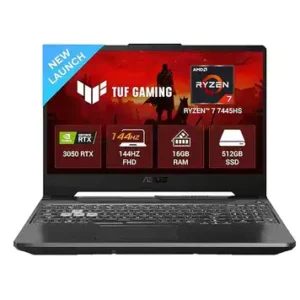

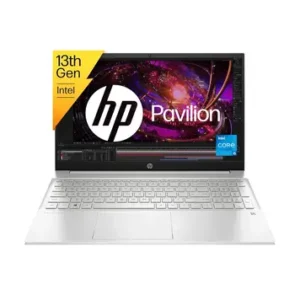
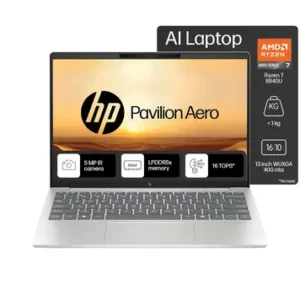
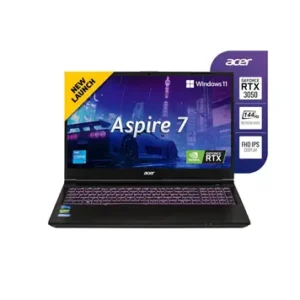
Latest Laptop Reviews
In-depth reviews based on specifications, research, and analysis
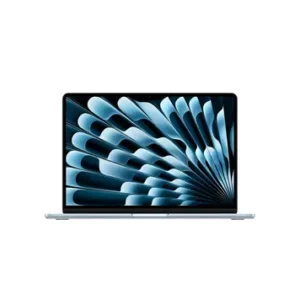
Mar 22, 2026
Apple MacBook Air M5 2026 Review: Powerhouse Ultraportable for Everyday Use
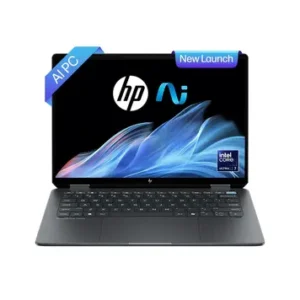
Mar 8, 2026
HP OmniBook Ultra Flip 14-fh0029TU Laptop Review 2026: Complete 2-in-1 OLED Analysis
Mar 4, 2026
Asus Vivobook S14 OLED S3402ZA-KM502WS Review: Best OLED Laptop Under Rs. 80,000?
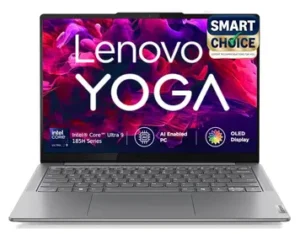
Feb 28, 2026
Lenovo Yoga Slim 7 (83CV00B3IN) Laptop Review: Complete Analysis
Recently Added Comparisons
Latest comparisons added to our collection
MacBook Air M5 2026 vs Samsung Galaxy Book 5 Pro: Which Premium Laptop Should You Actually Buy?
Mar 23, 2026
→
Moto G67 Power 5G vs Redmi 15 5G
Mar 19, 2026
→
Lava Agni 4 5G vs Vivo T4 5G
Mar 12, 2026
→
Samsung Galaxy A35 5G vs Samsung Galaxy A36 5G
Mar 9, 2026
→
HP Pavilion 15-eg3027TU vs 15-eg3026TU: Which One Should You Buy?
Feb 26, 2026
→
Explore by Brand
Browse all specs and prices from the same brand
Best Laptops Lists
Curated buying guides to make your decision easier
Disclaimer: Prices and specifications shown may vary from actual products. Please check with the retailer before purchasing.